Upvault
Chats, notes, files. All on your computer.
Use several AI models in one app. You pay each provider directly with your own API key.
Drop in a PDF or a Word file. Later you find it by the words inside it, not by its name.
Send anything worth keeping from a chat to a note, then ask the AI again from inside it.
Three workspaces and 50 documents are free. After that, $29 once. No monthly subscription.
Introduction
One workspace holds one project. Put the contract and the reference material in it, write the meeting up as a note, and ask the AI whenever you get stuck. You never have to explain the material again. Whatever sits in the same workspace is something the AI can read and answer from.
There is not much to set up after you install it. You do not need to create an account. One sign-in button connects the AI, and what you use comes out of the credit you topped up. No separate subscription for each company.
Contents
Philosophy
Asking an AI something and getting an answer is easy now. What comes after is not. Yesterday's conversation reads like a stranger's today, and the hour you spent explaining the background is gone the moment you close the window. So you paste the same material in again, every time.
All of it piles up on a vendor's server rather than your own computer. Once you cancel, getting it back out is a chore. And you pay every month for that arrangement.
The work you did should stay with the person who did it. Something you can only open while you keep paying is not really yours. So Upvault keeps conversations, notes, and files on your computer and in your own Google Drive. Delete Upvault and the files stay where they are.
Three things we settled on while building it.
Never explain the same material twice. The AI reads the documents and notes you put in a workspace and answers from them. It finds them by content, even when the file name escapes you.
The data belongs to whoever uses it. Conversations and notes are saved on your computer, and files go up to your own Google Drive. Open Drive in a browser and they sit in the UpVault folder under their original names.
Pay once. No monthly subscription. You pay each AI company directly for what you use.
"We are building a tool where your own work piles up the more you use it."
Features
Conversations, notes, and files in one workspace
Everything one piece of work needs, kept together.
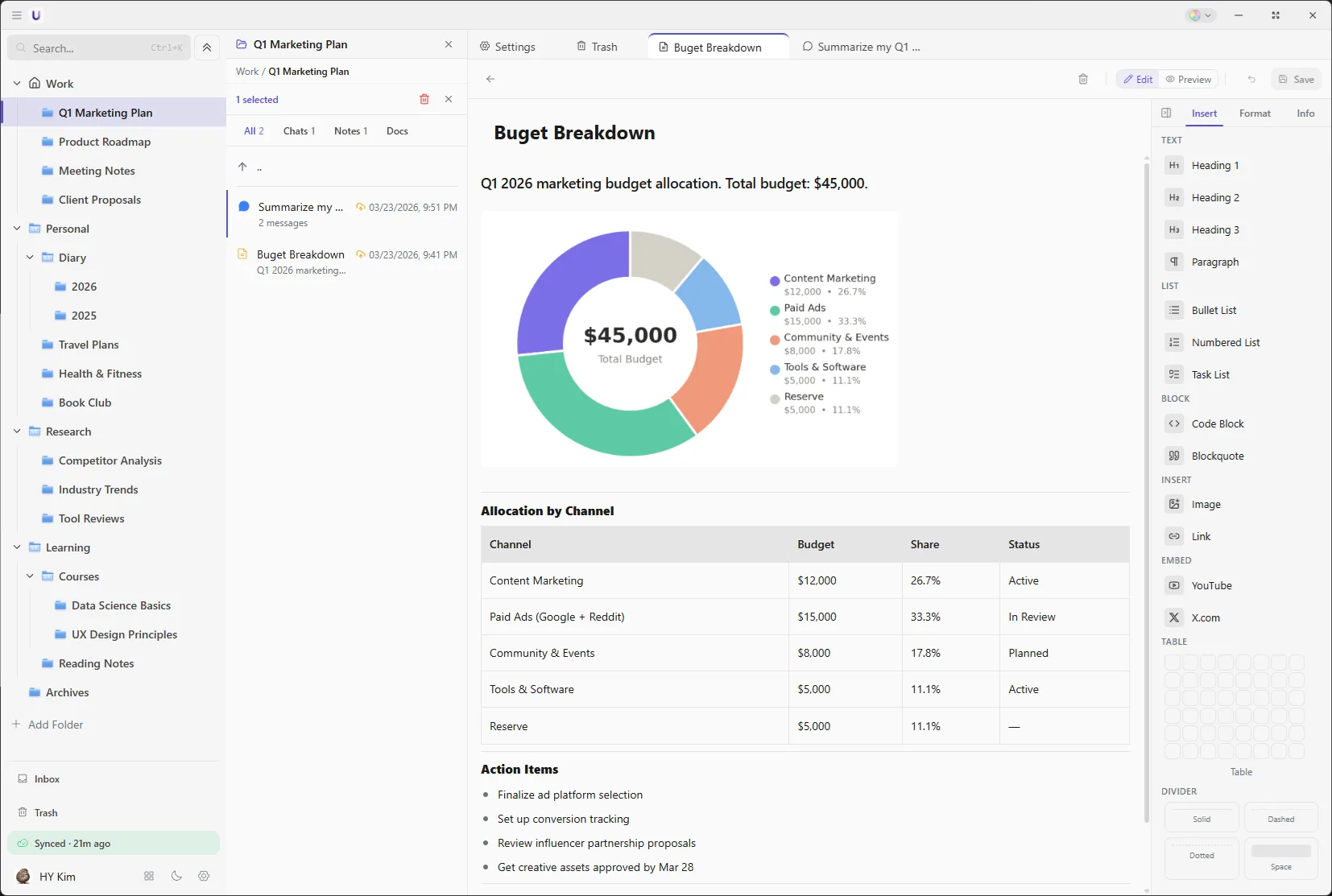
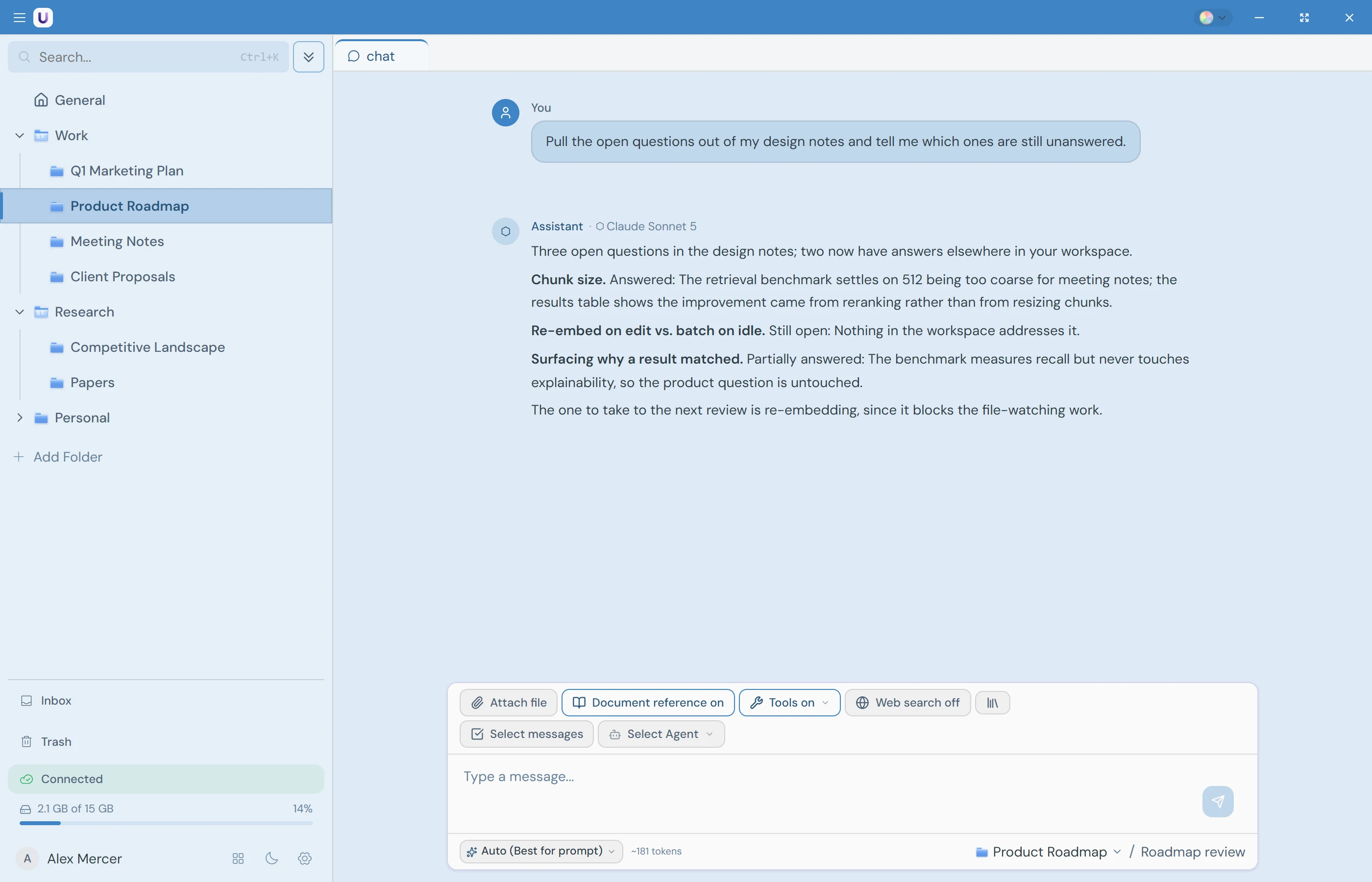
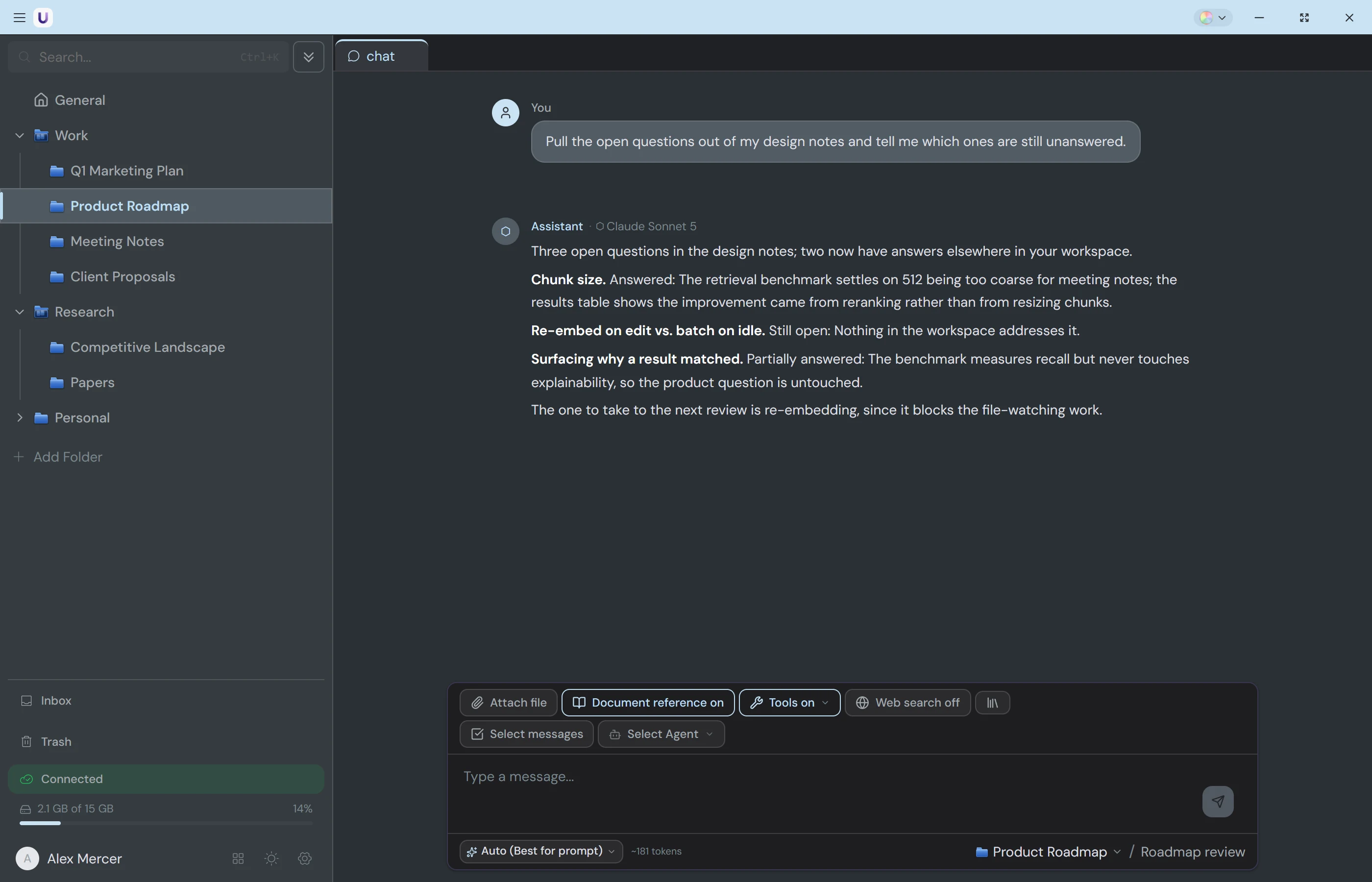
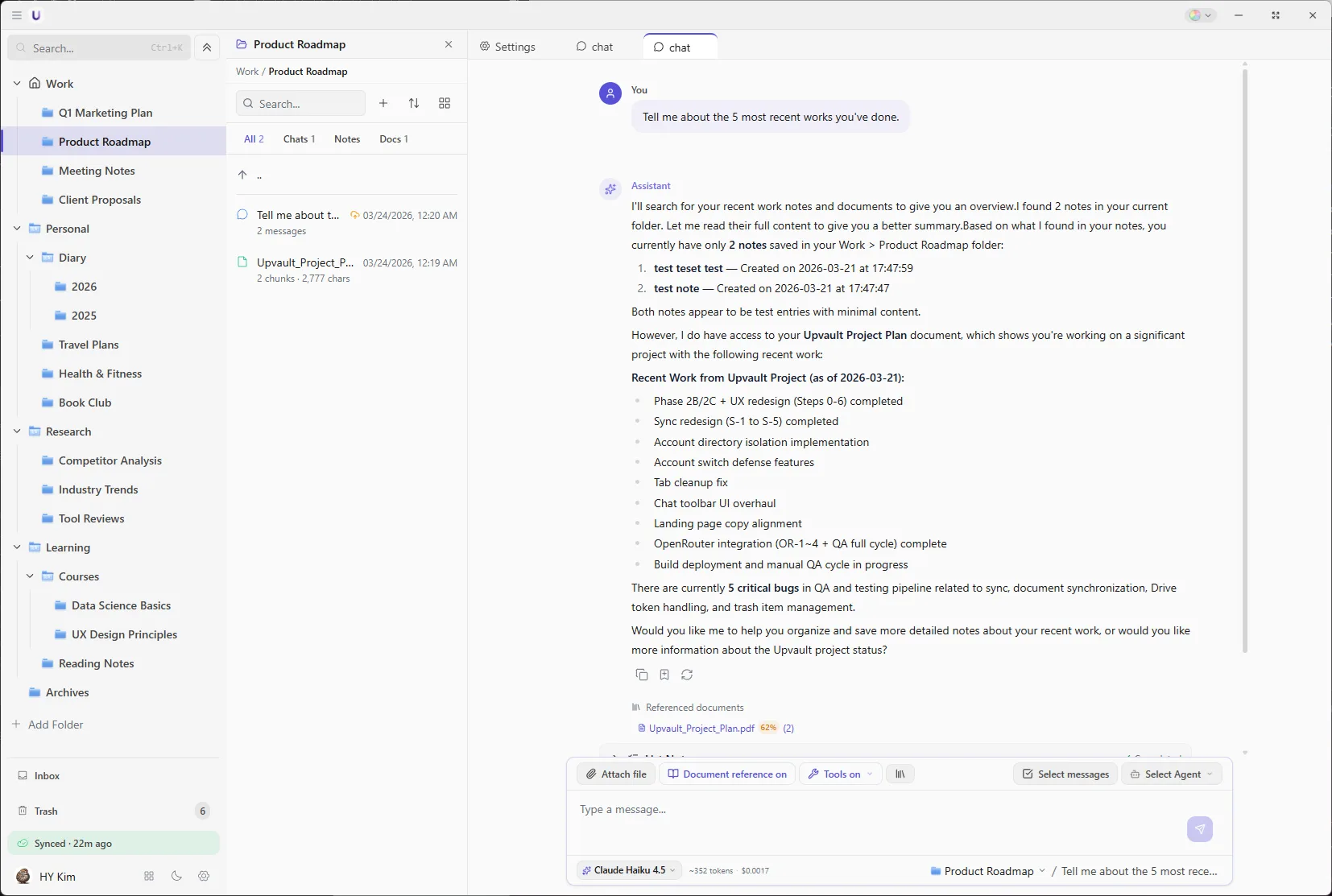
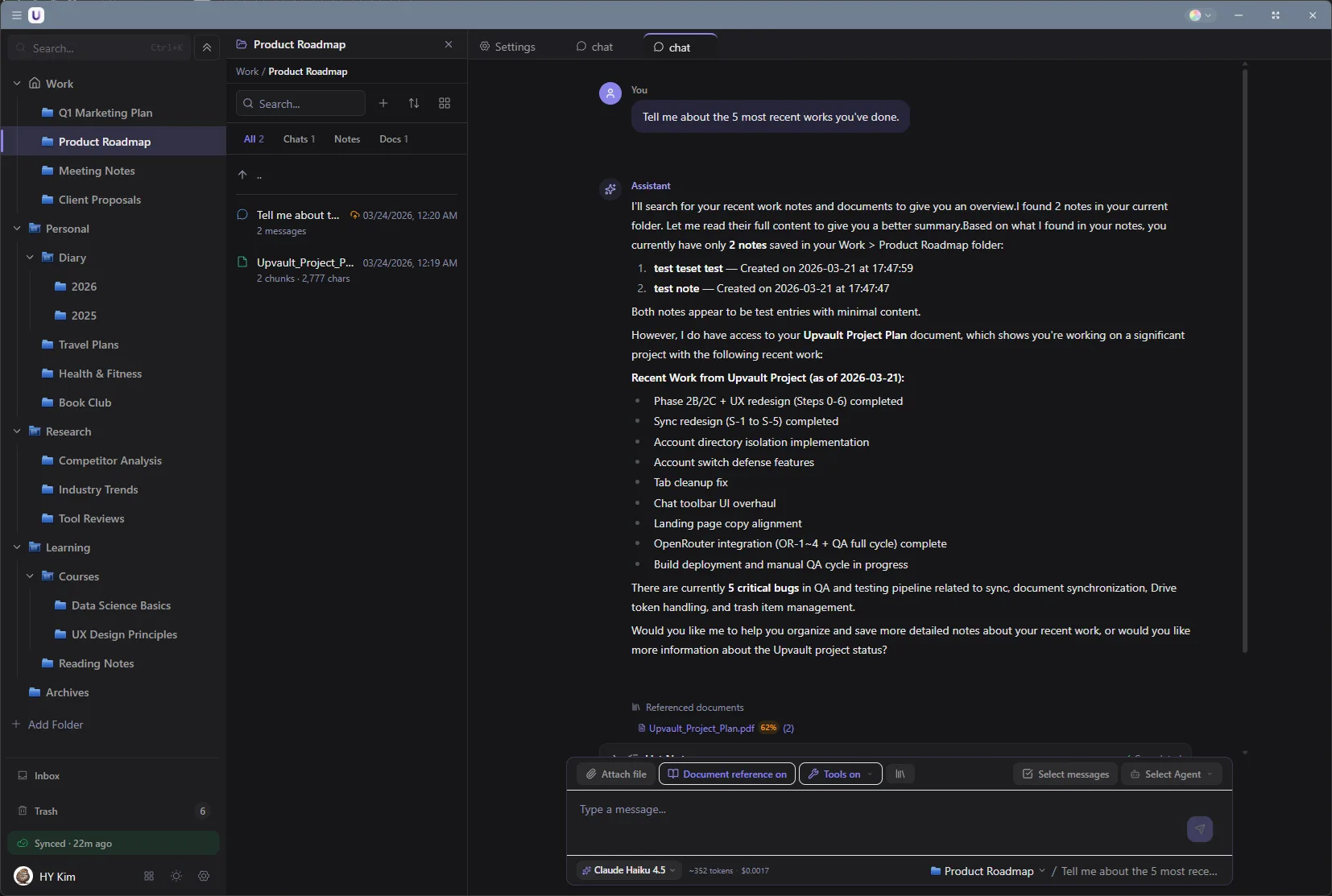
Make a workspace for each piece of work and put the AI conversations, your own notes, and the reference files inside it. Workspaces nest up to three levels, so things stay in order as the work grows. Save a useful answer from a chat as a note, or ask the AI to tidy up a note while you are writing it.
Find files without knowing their names
"That document where I sorted out the budget" is enough.
Drag PDF, Word, Excel, and text files into a workspace and their contents get indexed. The words do not have to match exactly as long as the meaning does, and the AI answers from what it finds. Indexing runs on your computer, so the documents never leave it.
Kept in your own Google Drive
Upload a file at the office, open it at home.
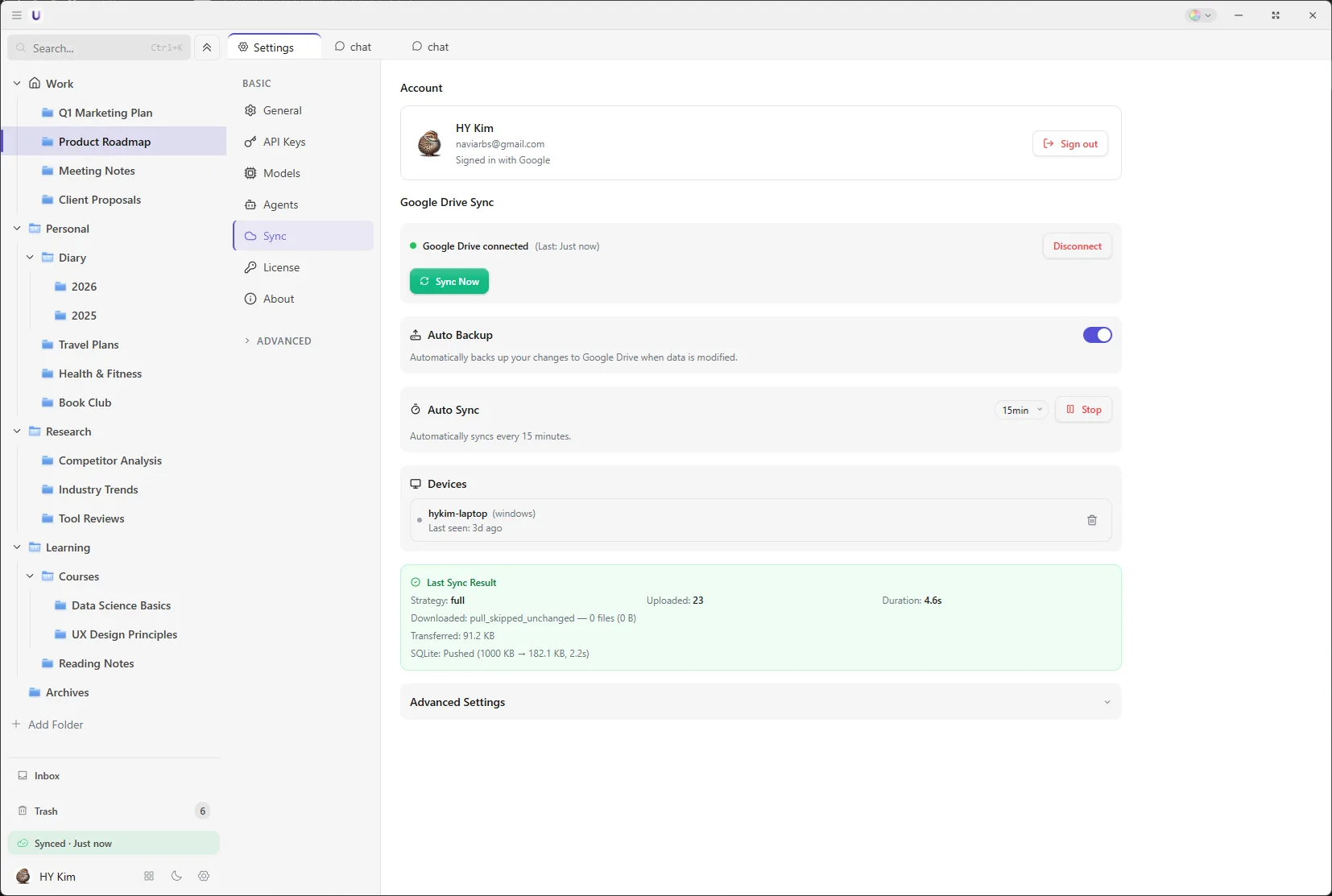
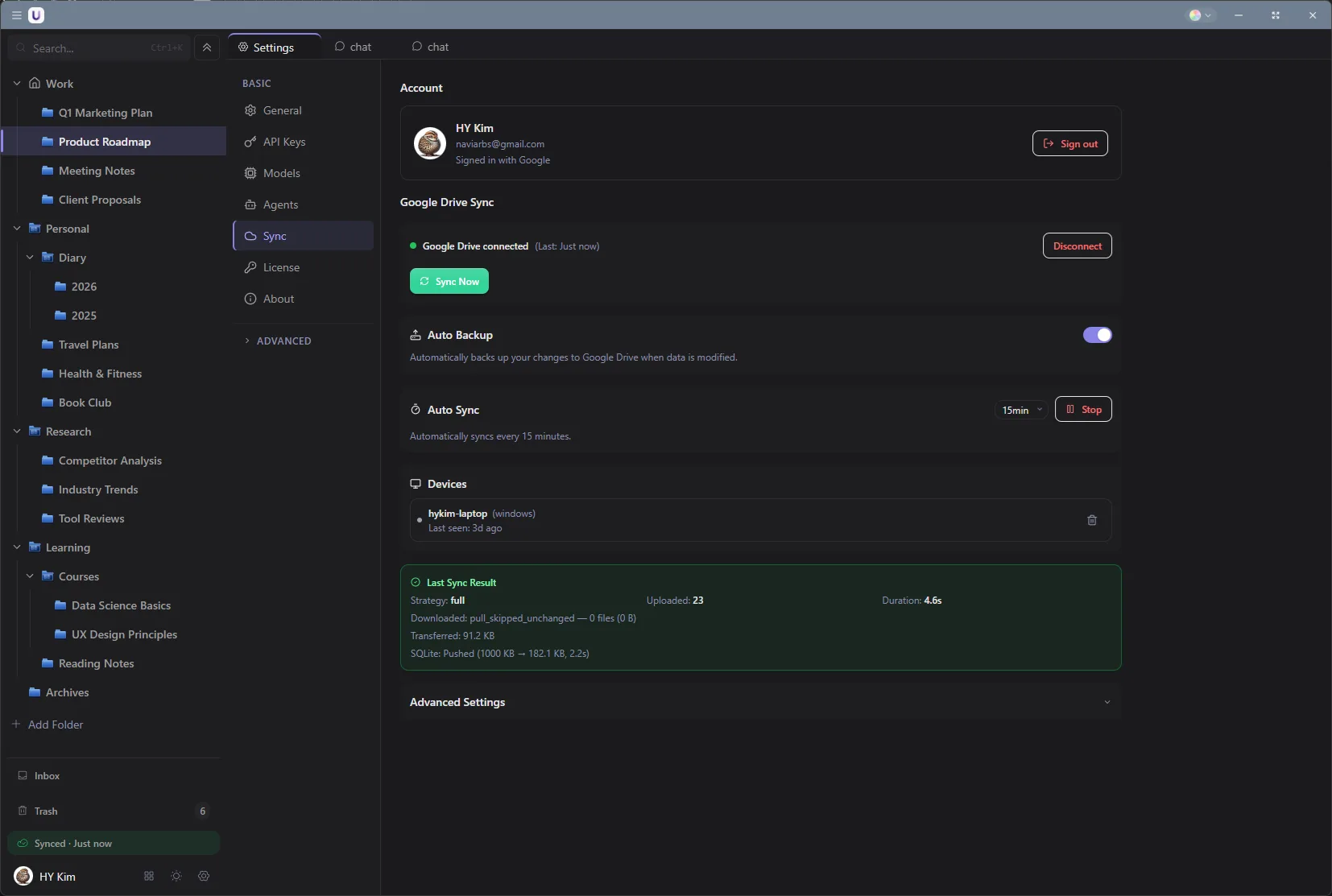
The original files go up to the UpVault folder in your own Google Drive. Open Drive in a browser and you see them under their original names. On another device the list appears first and you pull down only the files you need. Conversations and notes travel between devices the same way. Windows works today, and macOS and Android versions are in progress.
AI from several companies in one app
No separate subscription for each company.
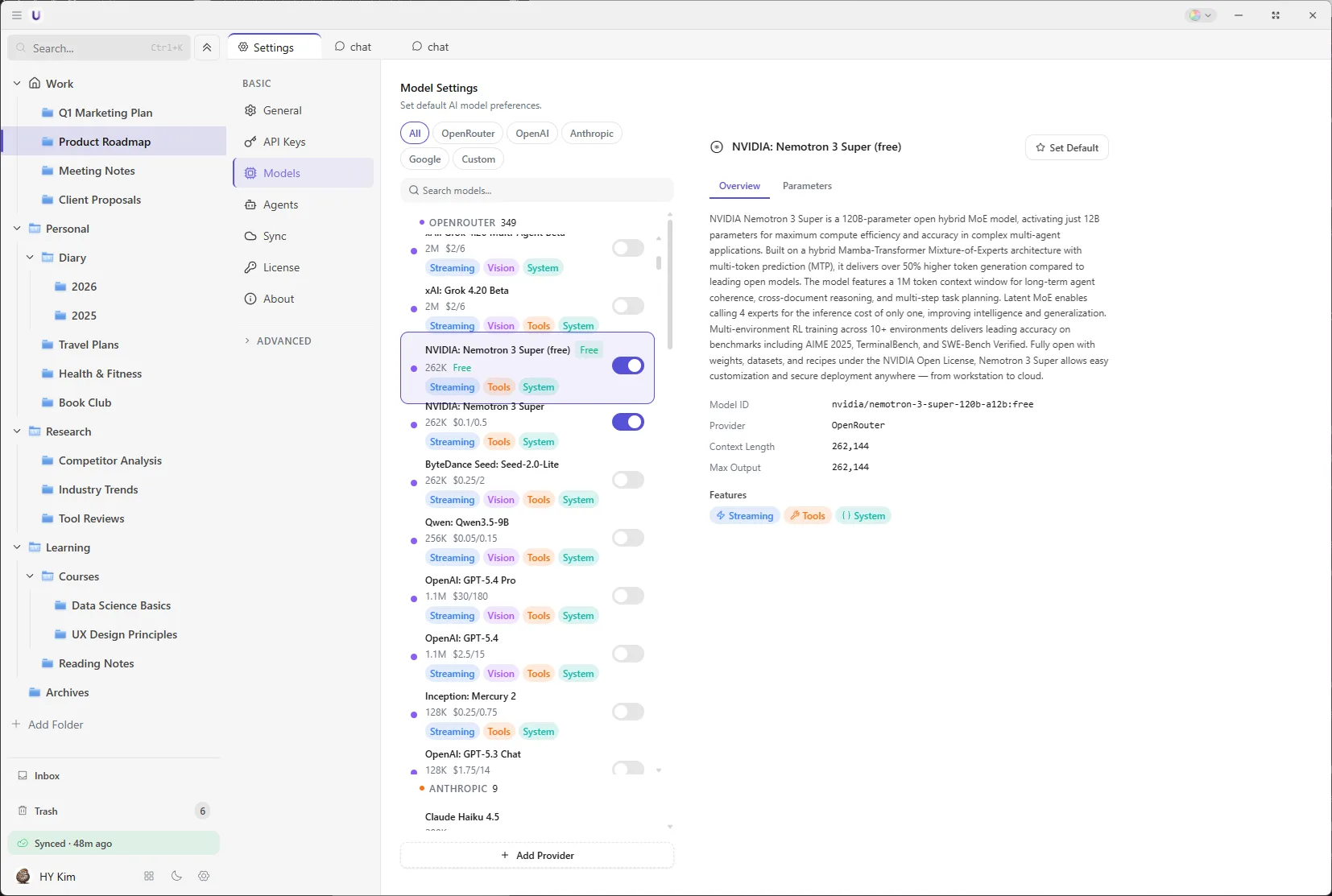
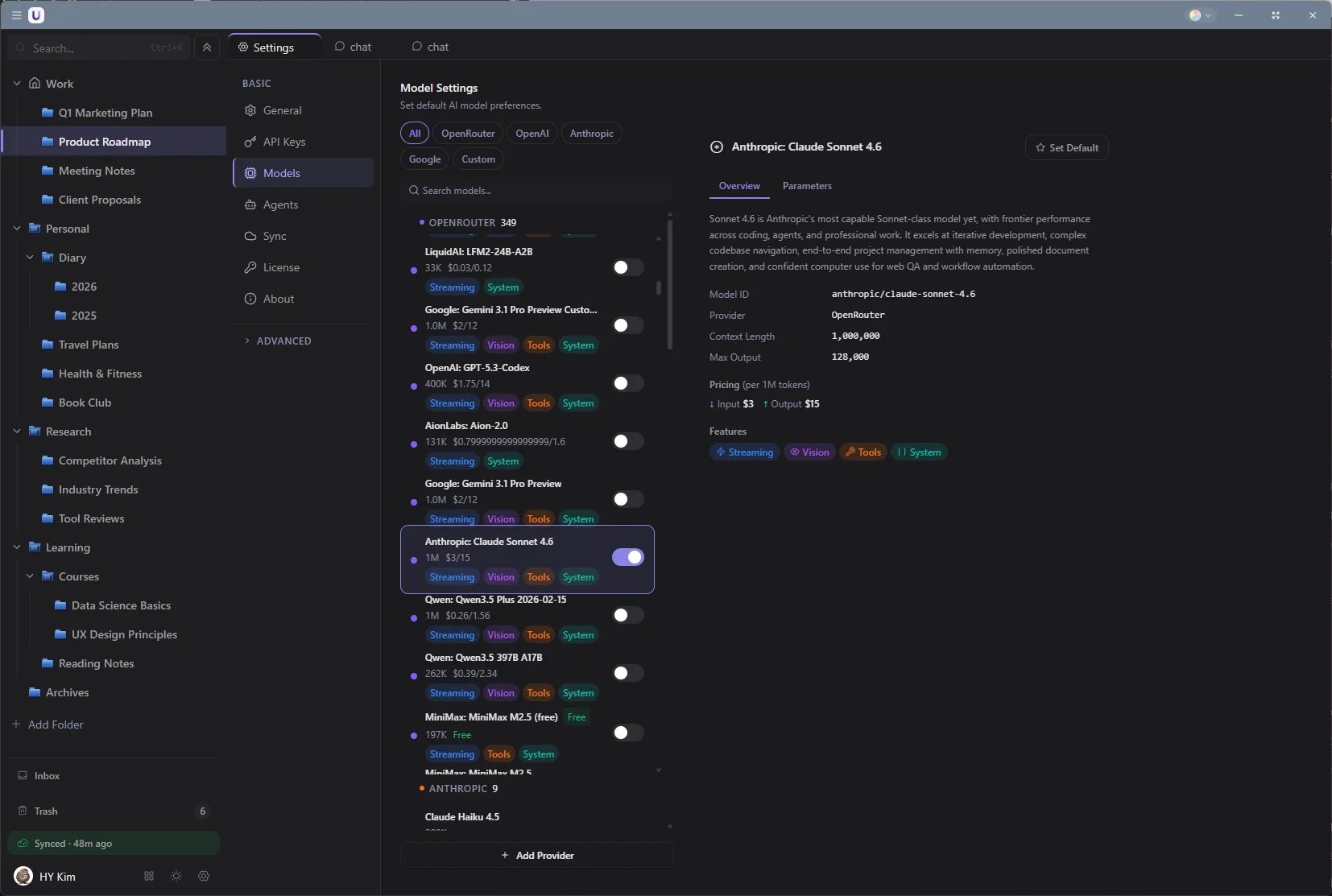
Connect an OpenRouter account and models from several companies are available in one place, drawn from credit you topped up in advance. Connecting takes one sign-in button, and the app shows what is left. You can also connect OpenAI, Anthropic, and Google directly with your own keys.
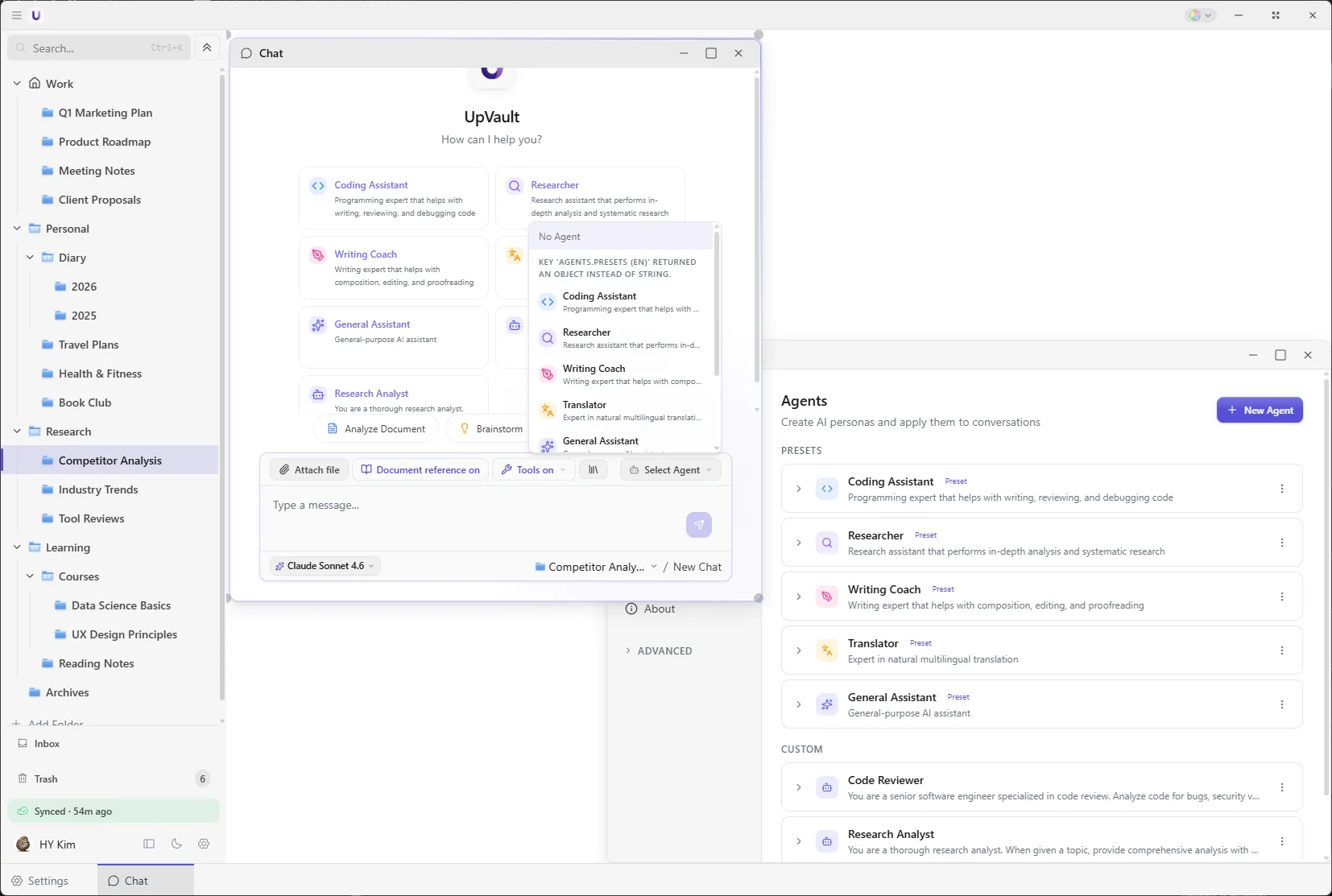
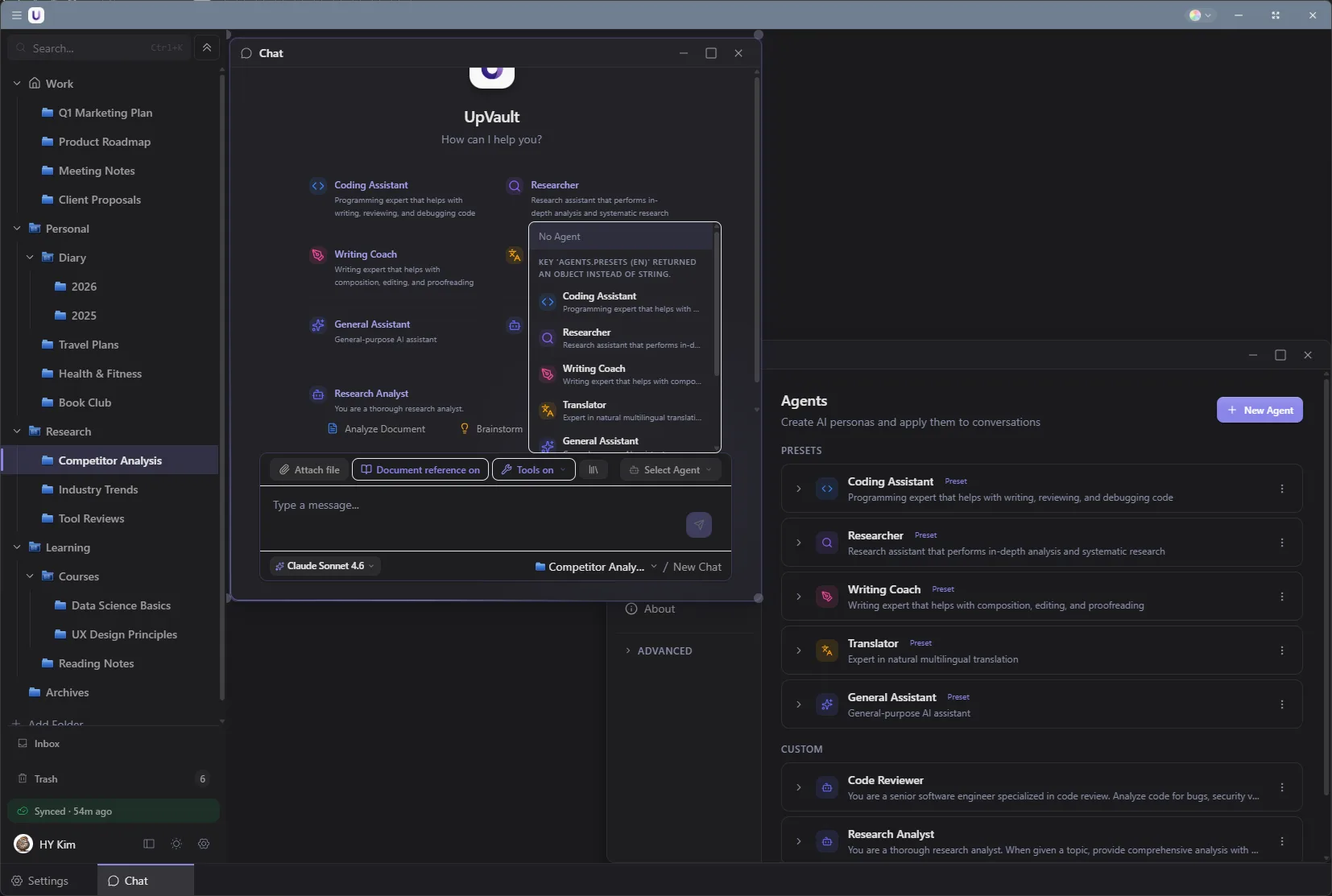
AI with a role already set
Save the setup for work you repeat.
For work you repeat, like translating or summarizing documents, write the instructions once and give them a name. After that you only have to pick it.
Connect outside tools
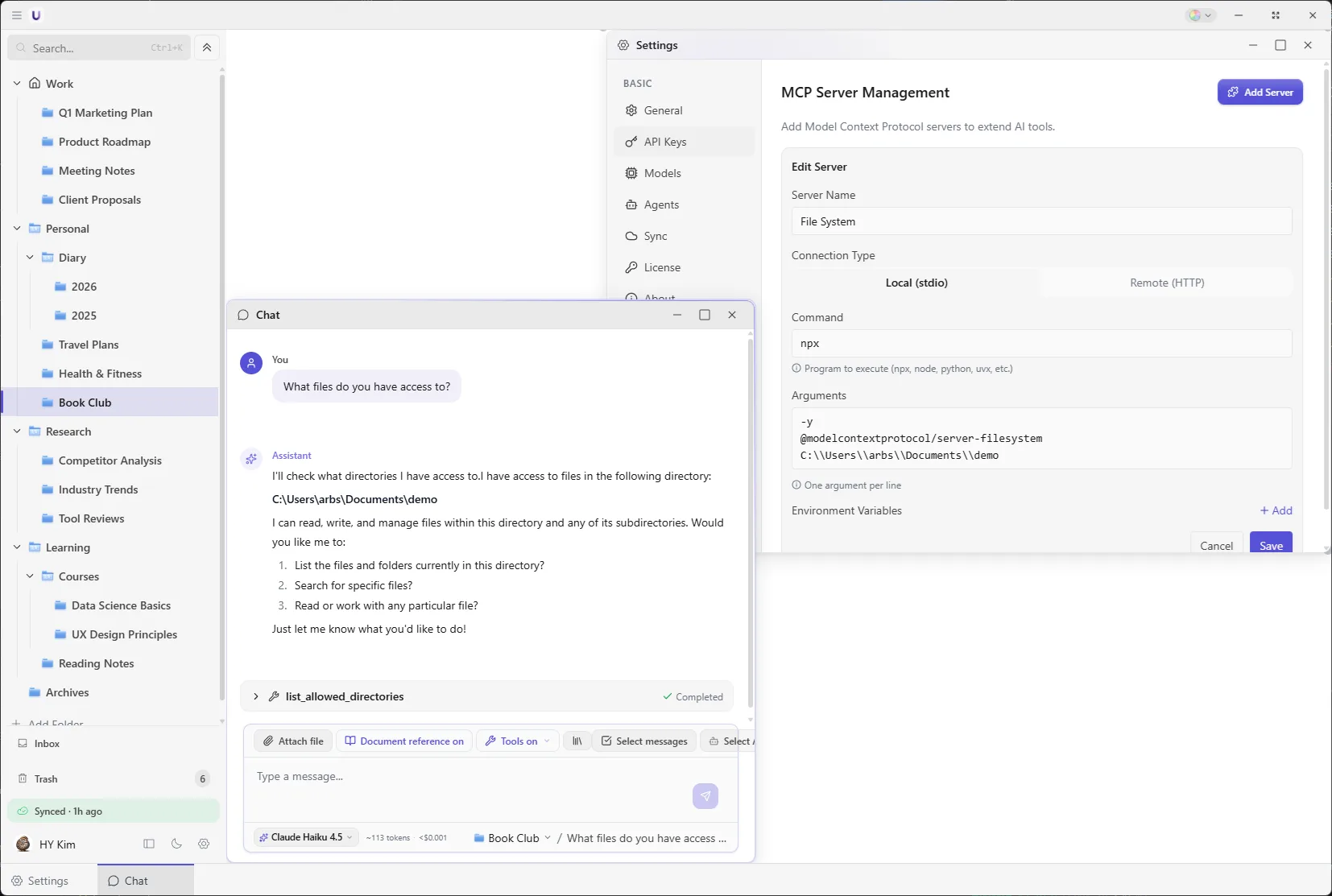
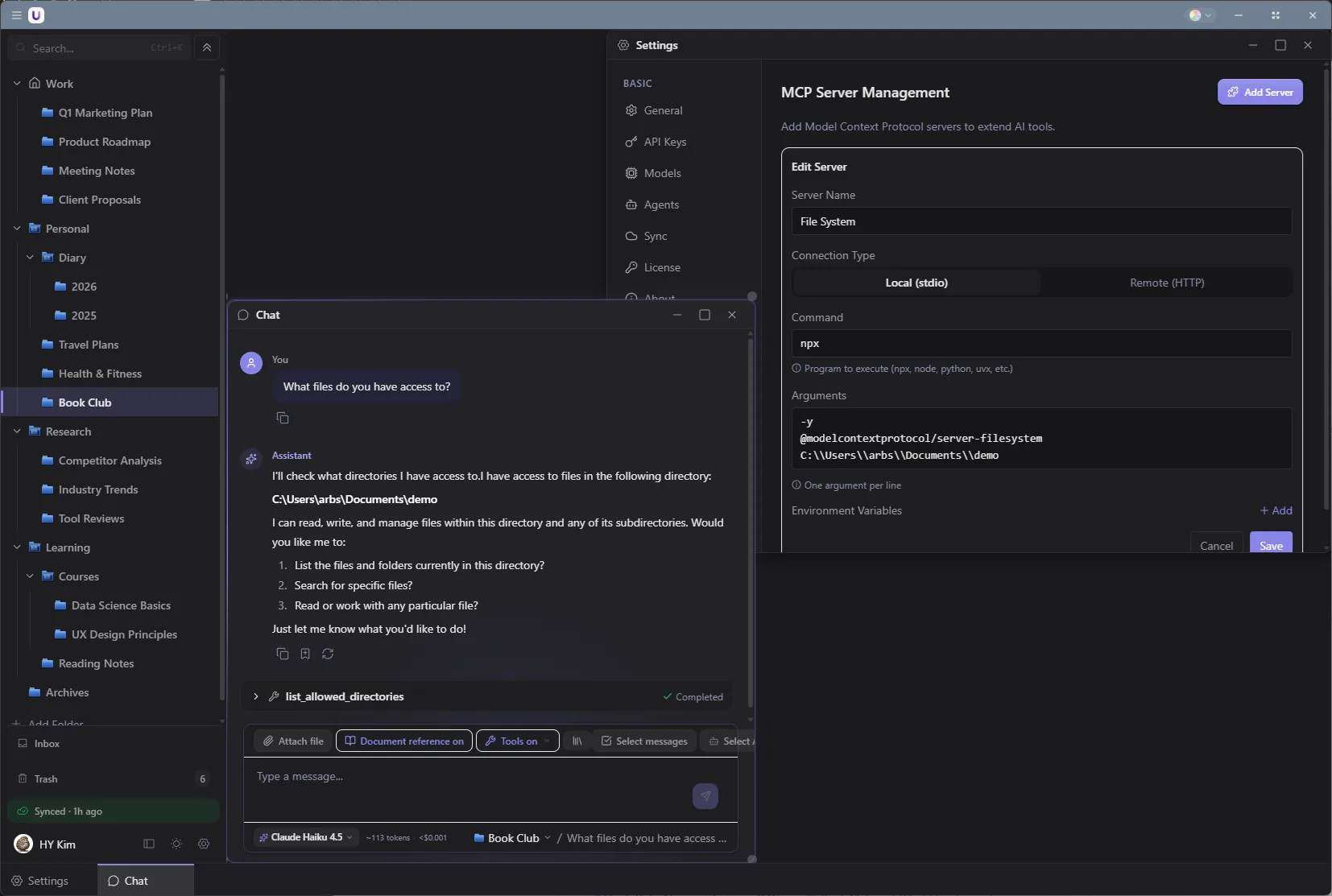
A feature for developers.
Connect a tool that supports MCP and the AI calls it directly. Both stdio and HTTP work, and nothing needs Docker.
Layout
Float several panels at once or keep one large view. Take your pick.
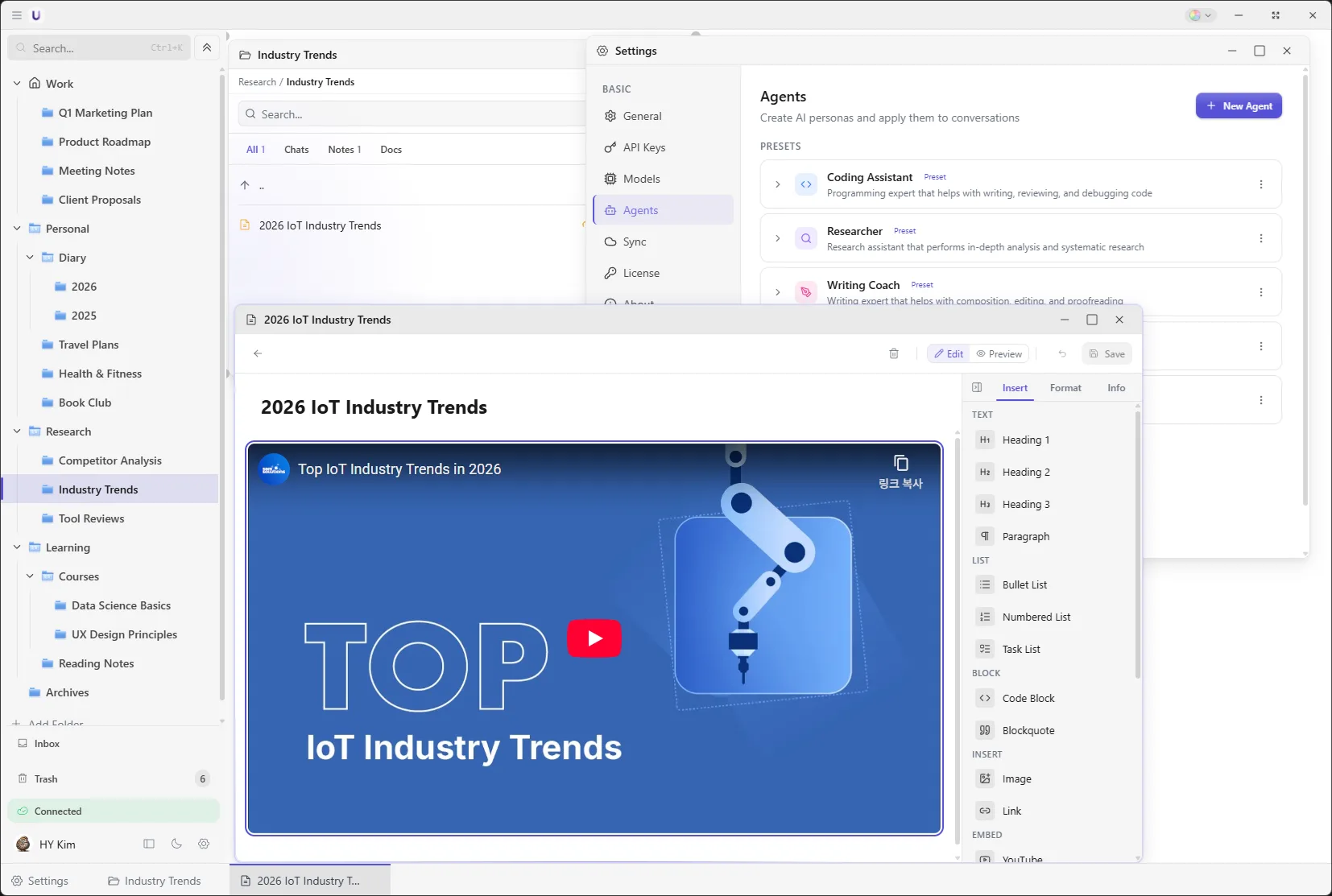
Put things side by side
Keep a reference document next to the conversation, and a note next to that. Panels drag around and resize.
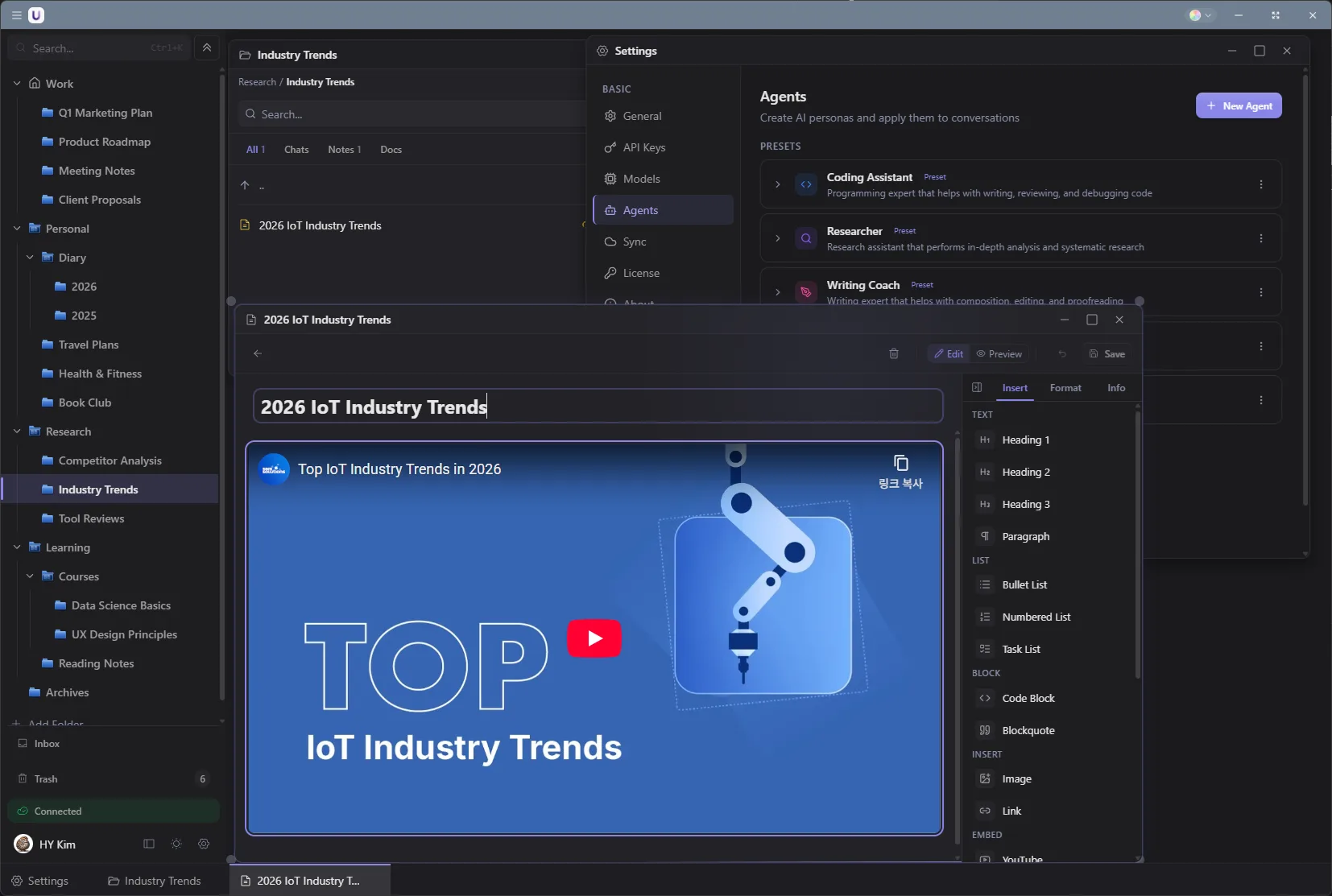
Put things side by side
Keep a reference document next to the conversation, and a note next to that. Panels drag around and resize.
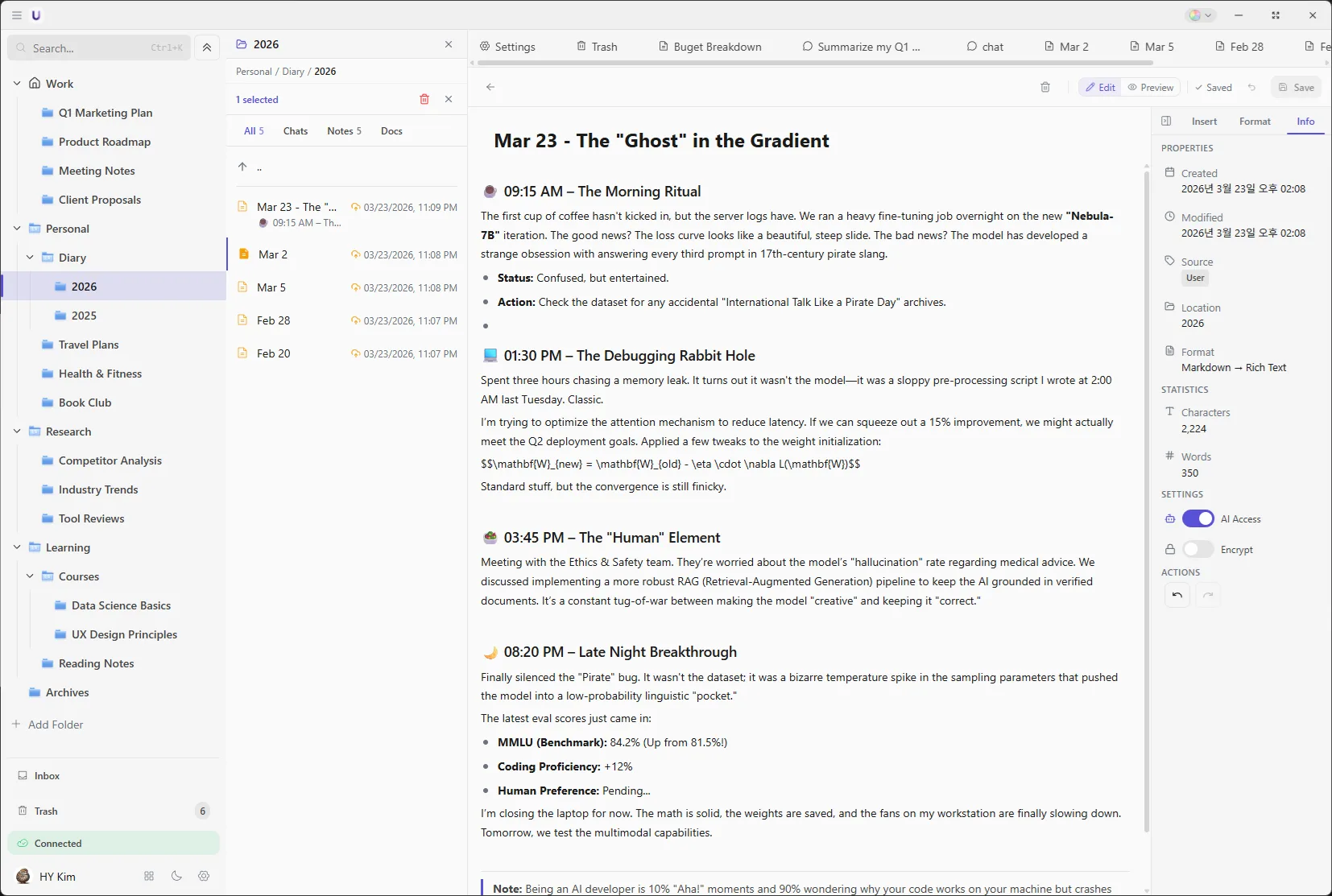
The familiar three-column view
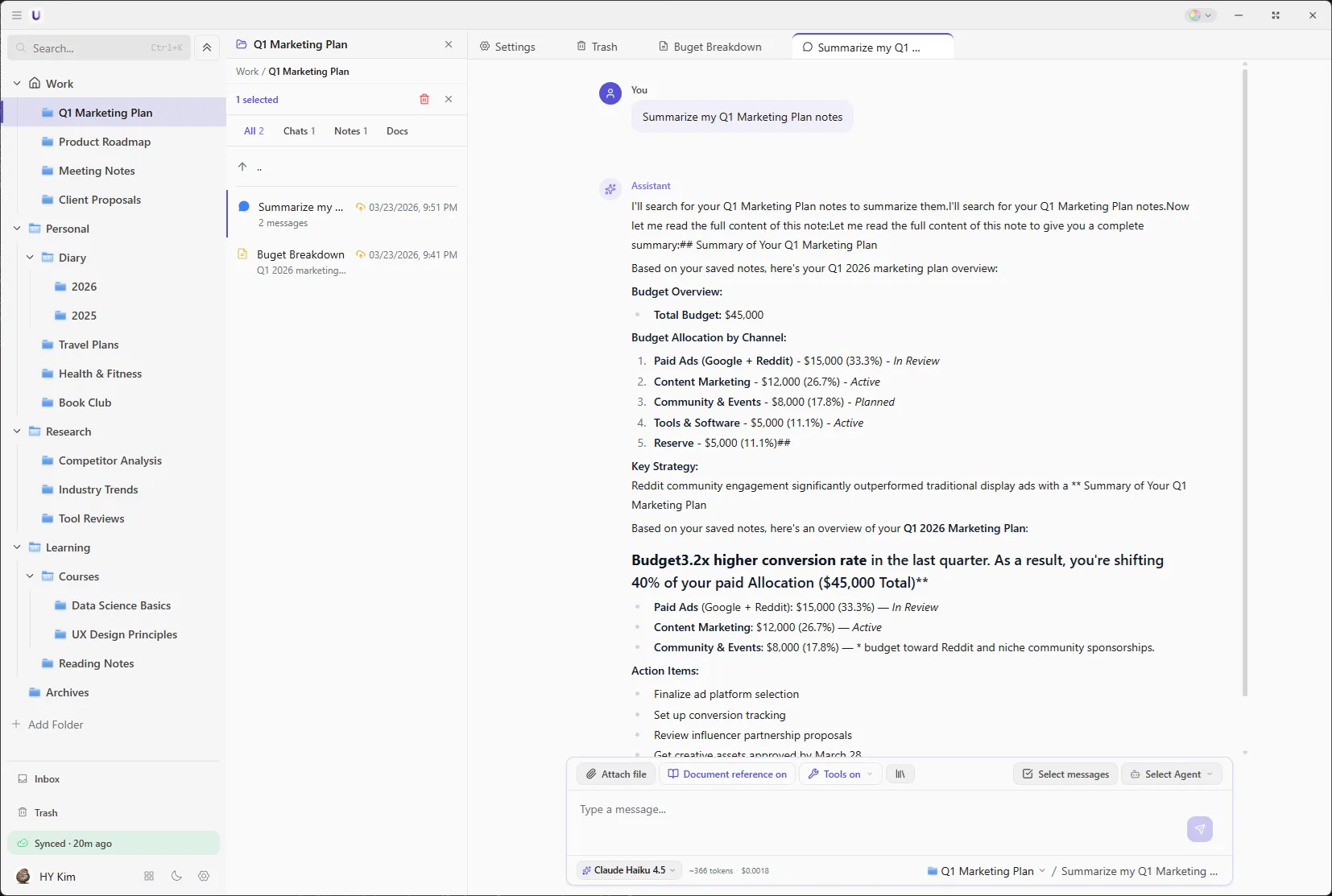
If juggling windows is a bother, switch to docked mode. The list sits on the left and the conversation in the middle, the way most chat apps are laid out.
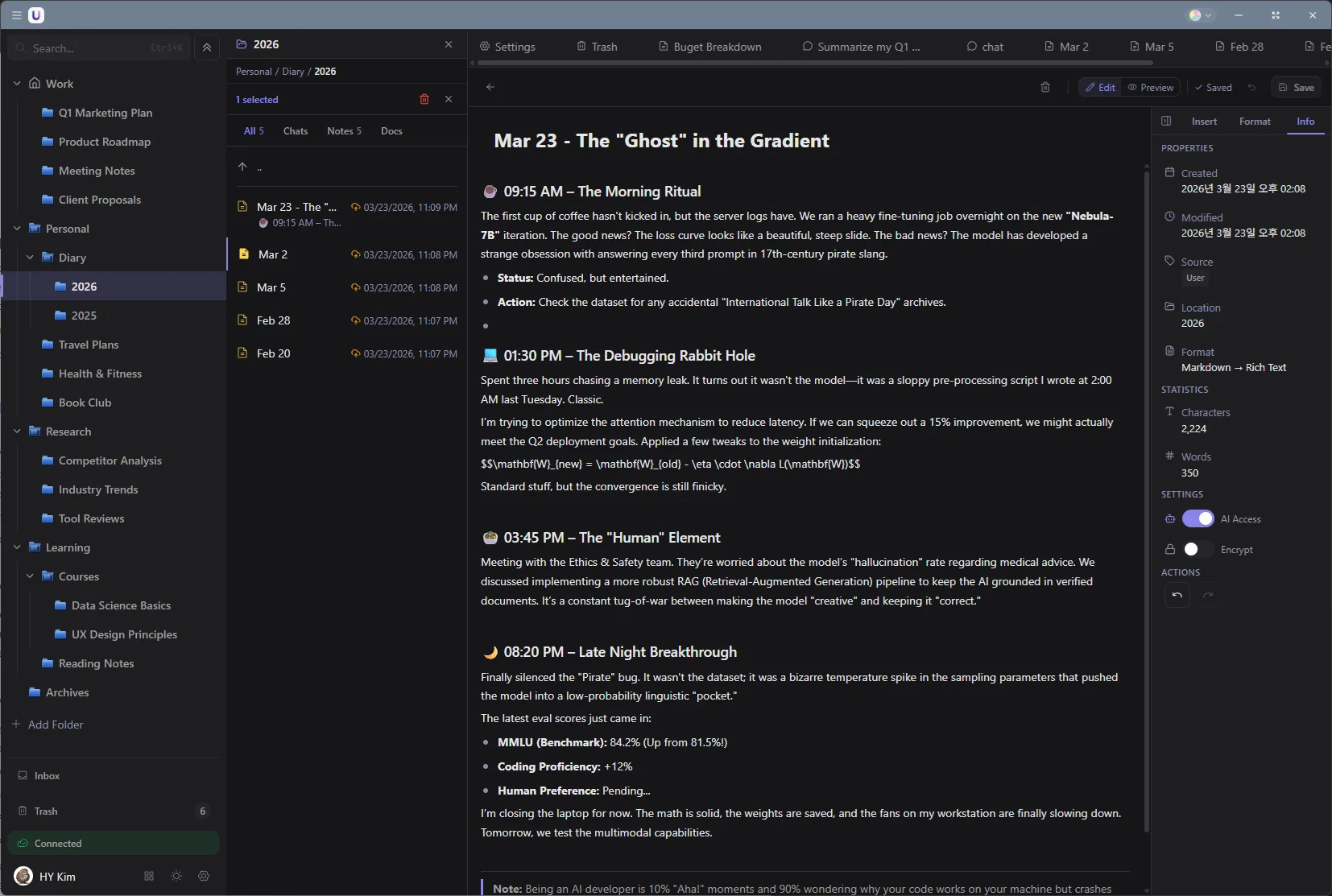
The familiar three-column view
If juggling windows is a bother, switch to docked mode. The list sits on the left and the conversation in the middle, the way most chat apps are laid out.
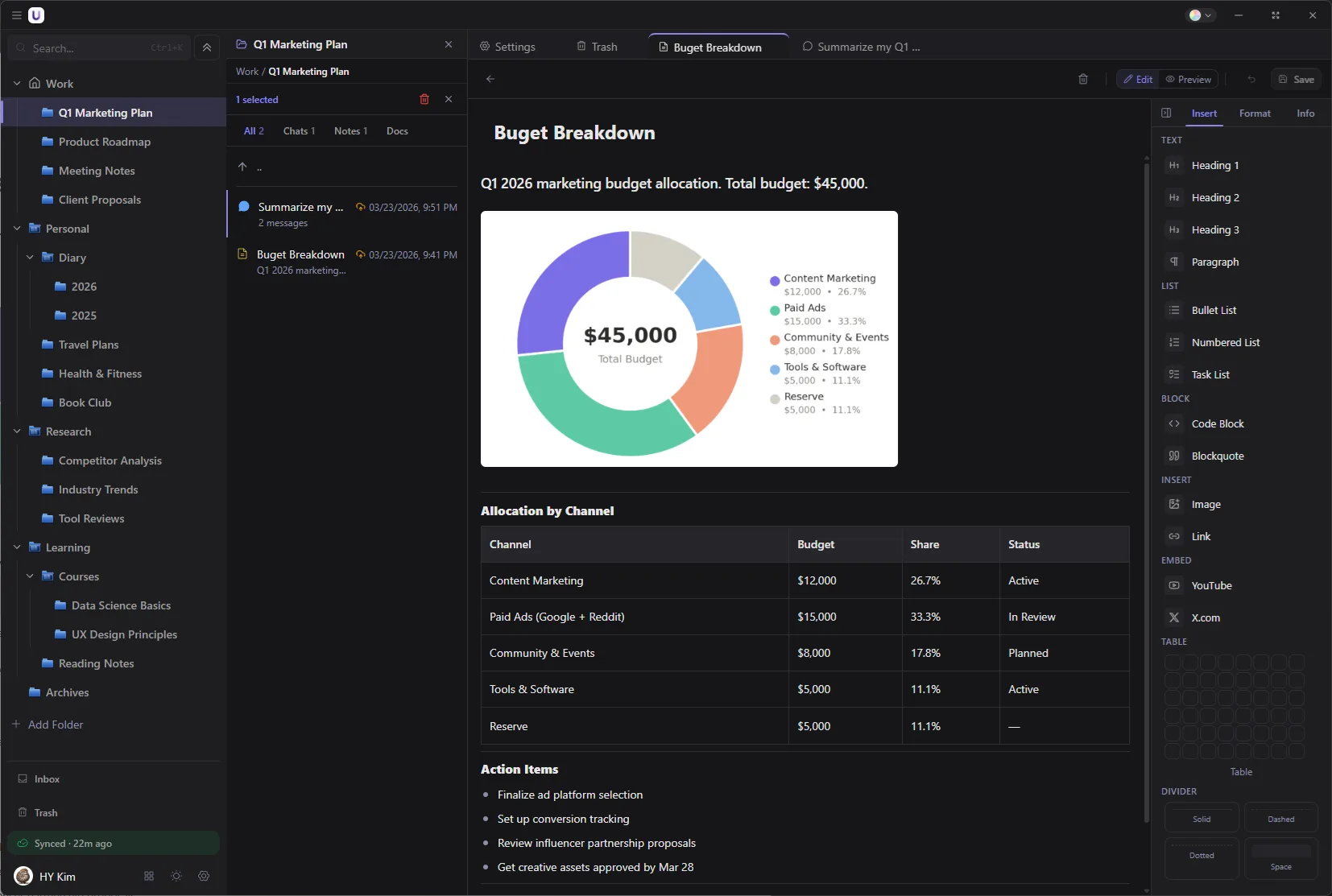
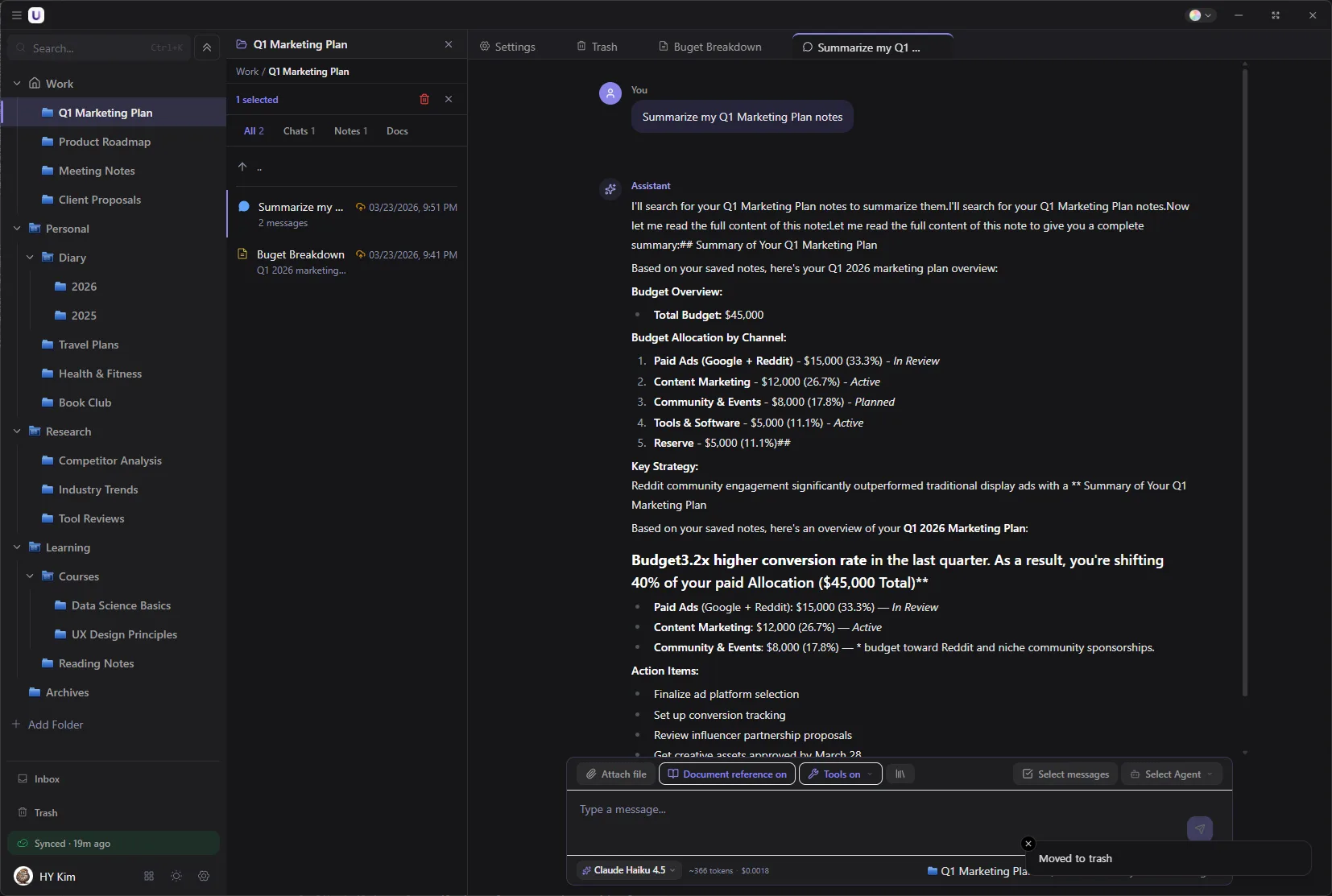
Dark mode and light mode are both supported. Switch in settings whenever you like.
Privacy
& Security
Here is exactly what is stored where.
Your computer
Conversations · Notes · Search index
Your Google Drive
Original files · Sync between devices
↕ Sync
AI companies
Direct connection
↕ Direct connection
Upvault servers
Account · Payment · Device list
Conversations and notes live here.
Conversations, notes, and the index used for search all sit in a database file on your computer. The AI model that indexes documents runs on the machine too, so nothing is sent anywhere to be indexed.
Original files, and sync between devices.
Uploaded files land in the UpVault folder in your own Google Drive under their original names. Syncing between devices passes through that folder. Delete Upvault and the files stay in Drive.
Accounts, payment, and the device list. Nothing more.
The servers check your sign-in account, handle payment and licensing, and keep the list of devices you signed in from. That list holds a device name and an operating system type. Conversations, notes, and files never go up to the servers, and the app carries no code for collecting usage records.
You can put a separate password on them.
A note that should not be seen can be locked with a master password you create. Locked notes are stored encrypted with AES-256-GCM, and until the password is entered even the AI cannot read them and they are left out of exports. API keys are encrypted with operating system protection and kept on your computer.
Pricing
Stop renting your AI workspace. Own it.
Pay once. Own it for good.
Enough for one computer and one phone.
Download free→Start here
- Unlimited AI chat (you pay each provider directly)
- 10 workspaces
- 50 documents searchable by content
- Agents and MCP tools
- Sync between 1 desktop and 1 phone
For working across several devices.
Buy Standard→Everything in Free, plus
- Upload files to your own Google Drive and open them on another device
- Unlimited workspaces, nested up to 3 levels
- Unlimited searchable documents
- Notes you can lock with a password
- Automatic inbox sorting
- 4 devices, desktop or phone
For sharper search and a longer memory.
Buy Premium→Everything in Standard, plus
- Pull what matters out of a conversation and carry it into the next one
- Reorder search results once more for better accuracy
- 8 devices
Compare everything
What is BYOK (Bring Your Own Key)? ▸
You use your own API keys from OpenAI, Anthropic, Google, and others. Upvault connects to those providers directly, with no server of ours in between. You pay the actual API cost and nothing on top.
How do I get an API key? ▸
You create one in each provider's dashboard. It takes about two minutes, and Upvault walks you through it during setup.
What are the limits on the free version? ▸
Free includes unlimited AI chat, 10 workspaces, 50 document uploads, and sync between one desktop and one phone. Agents and MCP tools are all available too. For a second computer, nested workspaces, unlimited documents, the file box, and password-locked notes, upgrade to Standard.
What is the refund policy? ▸
Upvault comes with a no-questions-asked refund within 14 days. If it does not suit you, get in touch and we will refund you right away.
Getting started
Download it and give it a try.
No account required. Use it free, and pay when you need more.
Windows · Free to start
macOS and Android versions are in progress.
Install
Run the installer and the app is up within a minute. The 2.2GB AI model used for document search downloads in the background, and you can start chatting while it does.
Connect an AI
Sign in to OpenRouter and models from several companies connect at once. If you already have an OpenAI or Anthropic account, paste that key instead. Keys are encrypted with operating system protection and are never sent to Upvault servers.
Make a workspace
Create one workspace for whatever you are working on and drag the related files into it. After that, just ask.