

Upvault
The workspace your AI never forgets.
300+ AI models in one app. Bring your own API key — $0 subscription.
Your data stays on your device. Upvault doesn't even have servers.
Lifetime license from $29. No recurring fees, ever.
Introduction
Every conversation with AI starts from zero. Your context disappears when the session ends. Your files live on someone else's server. And for this, you pay $20 every month. Upvault changes this — install in 3 minutes, configure nothing, and start working with AI that actually remembers.
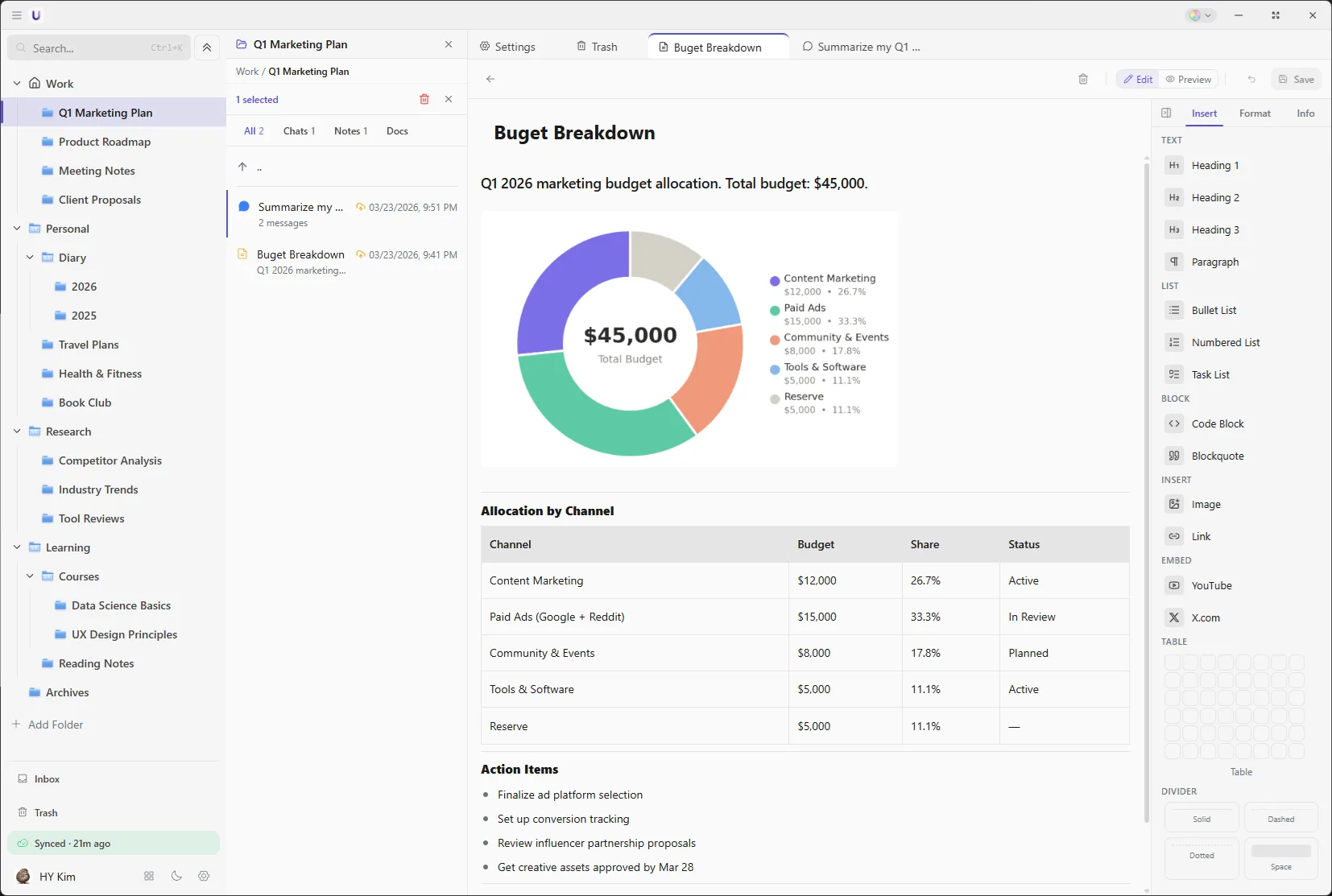
One lightweight app that replaces your subscriptions. 300+ AI models, persistent context across conversations, local vector search for your documents — all on your device. No Docker, no servers, no terminal commands. Just drag, drop, and ask.
Contents
Philosophy
You use AI every day. You ask it questions, draft documents, brainstorm ideas. But every session starts from scratch. The conversation you had yesterday? Gone. The context you carefully built up over an hour? Erased the moment you close the tab.
Meanwhile, your data — every prompt, every file, every thought you shared — lives on someone else's server. And for this, you pay $20 every month.
Your AI workspace should belong to you. Not to a subscription model that resets your context every session. Not to a server farm that stores your conversations indefinitely. To you — on your device, under your control.
Upvault is built around three principles no competitor offers simultaneously:
Memory that persists. A local vector database that remembers your conversations across sessions — so your AI picks up exactly where you left off.
Data you own. Everything stored on your machine. Synced through your own Google Drive — not Upvault's servers.
One price, forever. No monthly subscriptions. Pay once, own it for life.
"AI that remembers, organizes, and connects — the workspace that grows with you."
Features
Persistent Context
AI that remembers your last conversation.
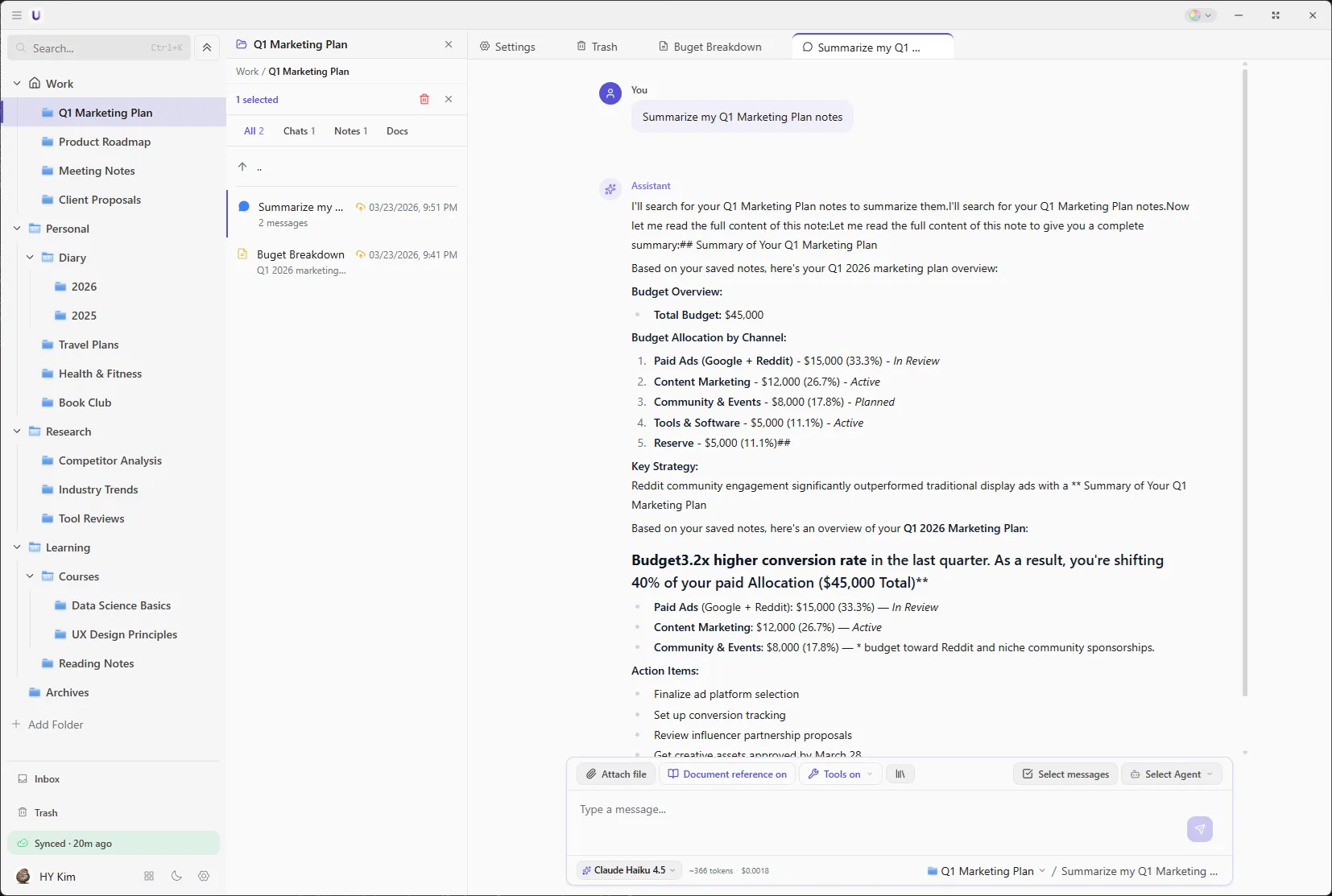
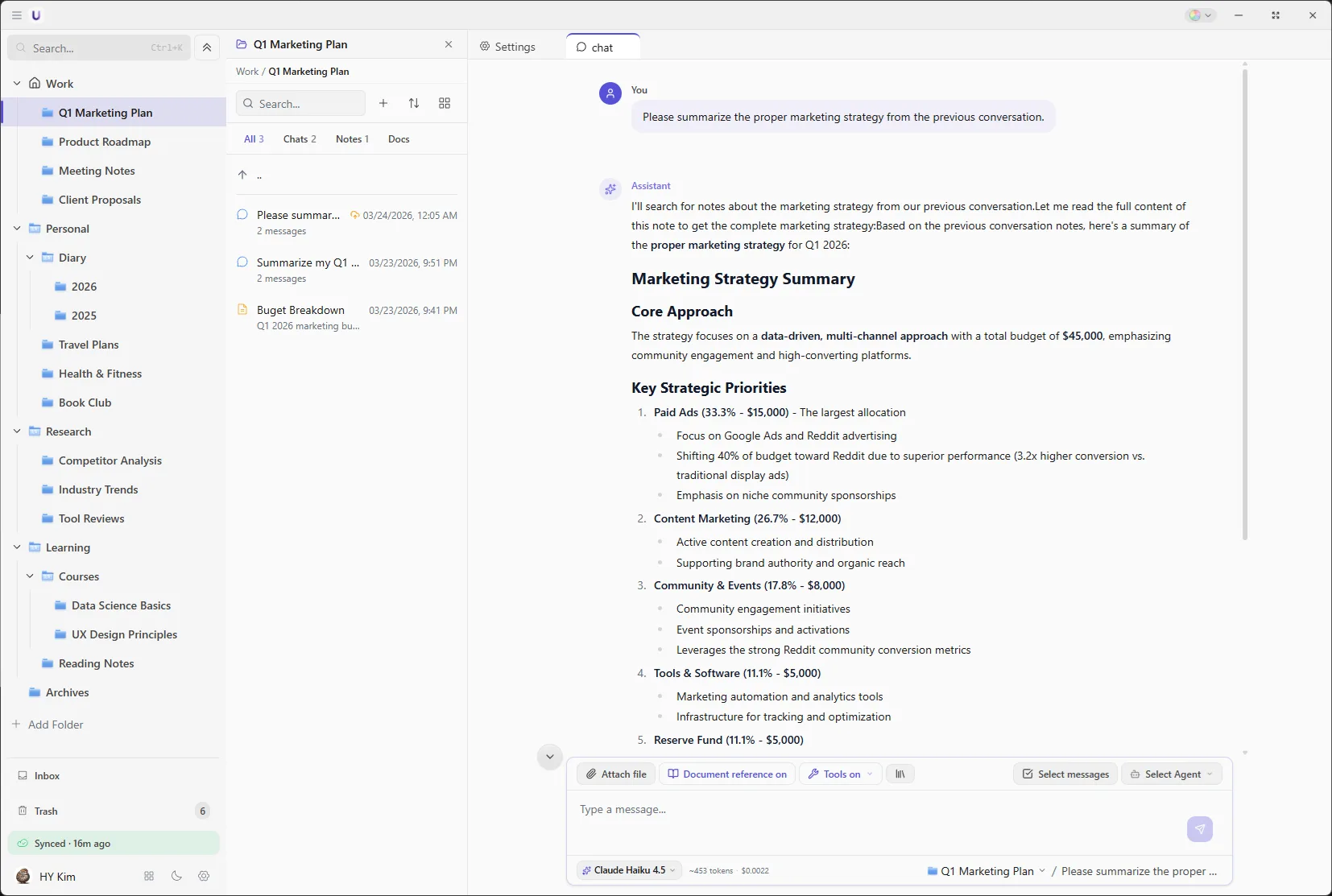
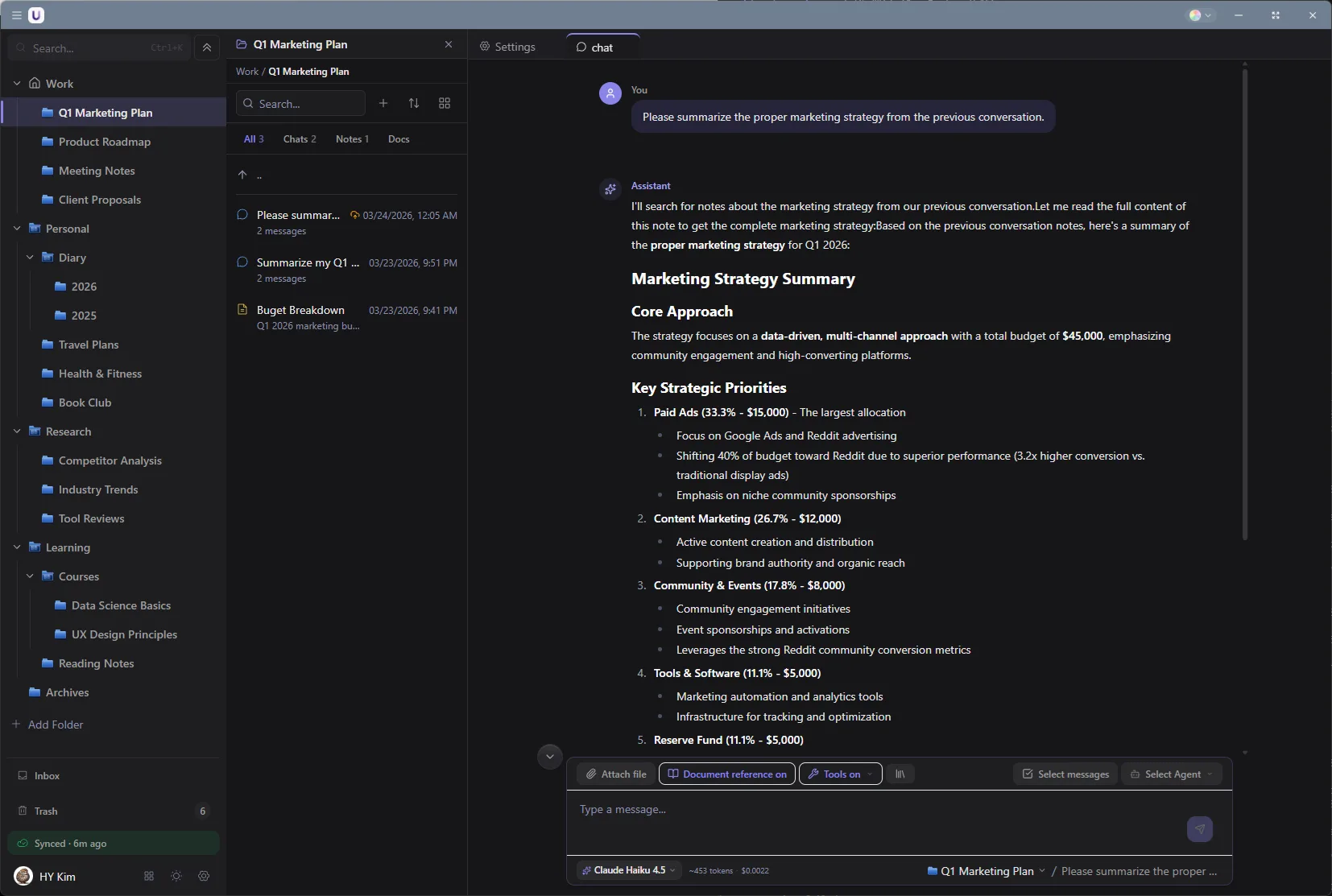
The biggest frustration with AI tools: starting from scratch every time. Upvault maintains context across conversations — your AI references previous discussions, documents, and notes within the same workspace, automatically. Among 10 competing products, zero offer this natively.
Zero-Config Document AI
Drop a file. AI understands it instantly.
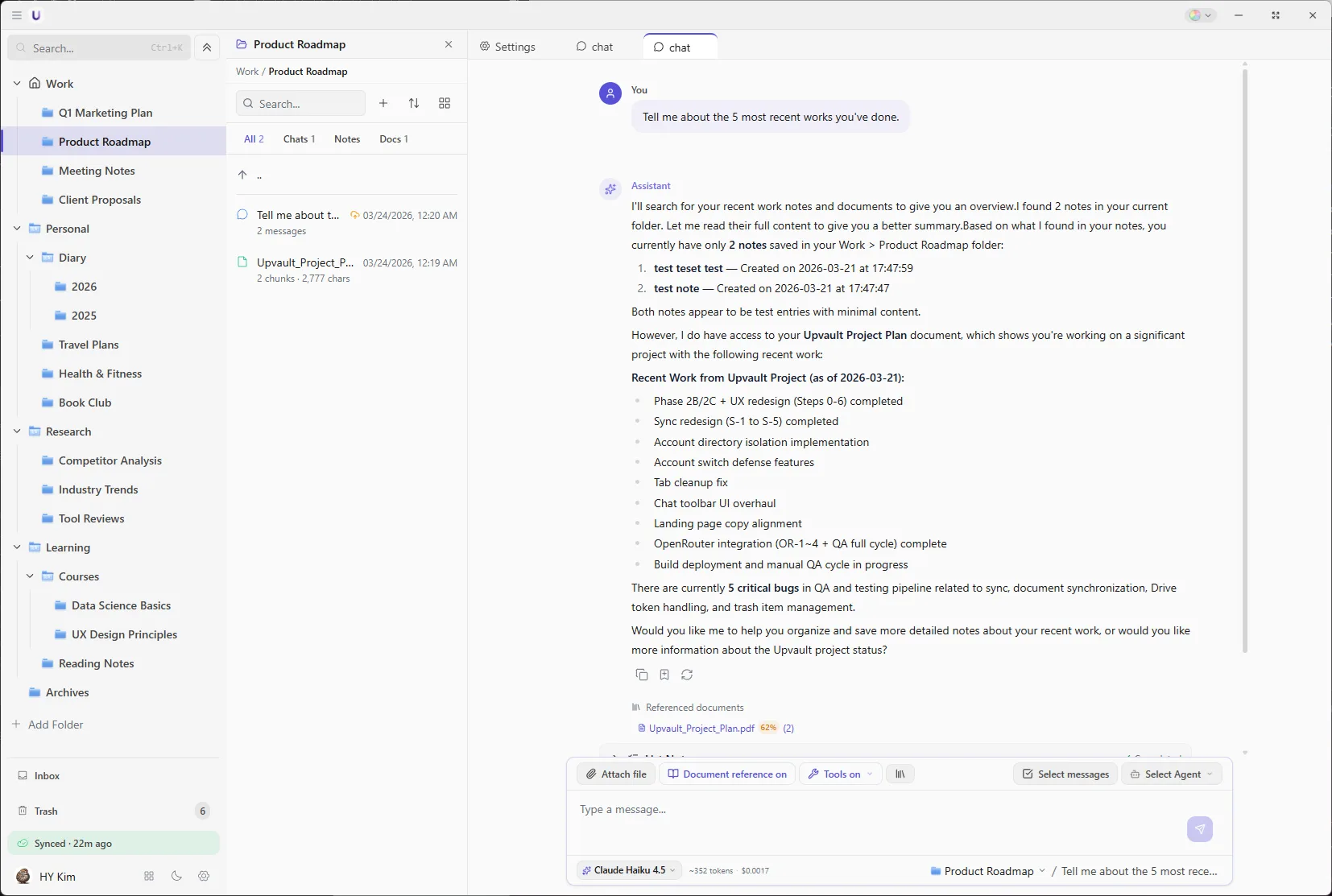
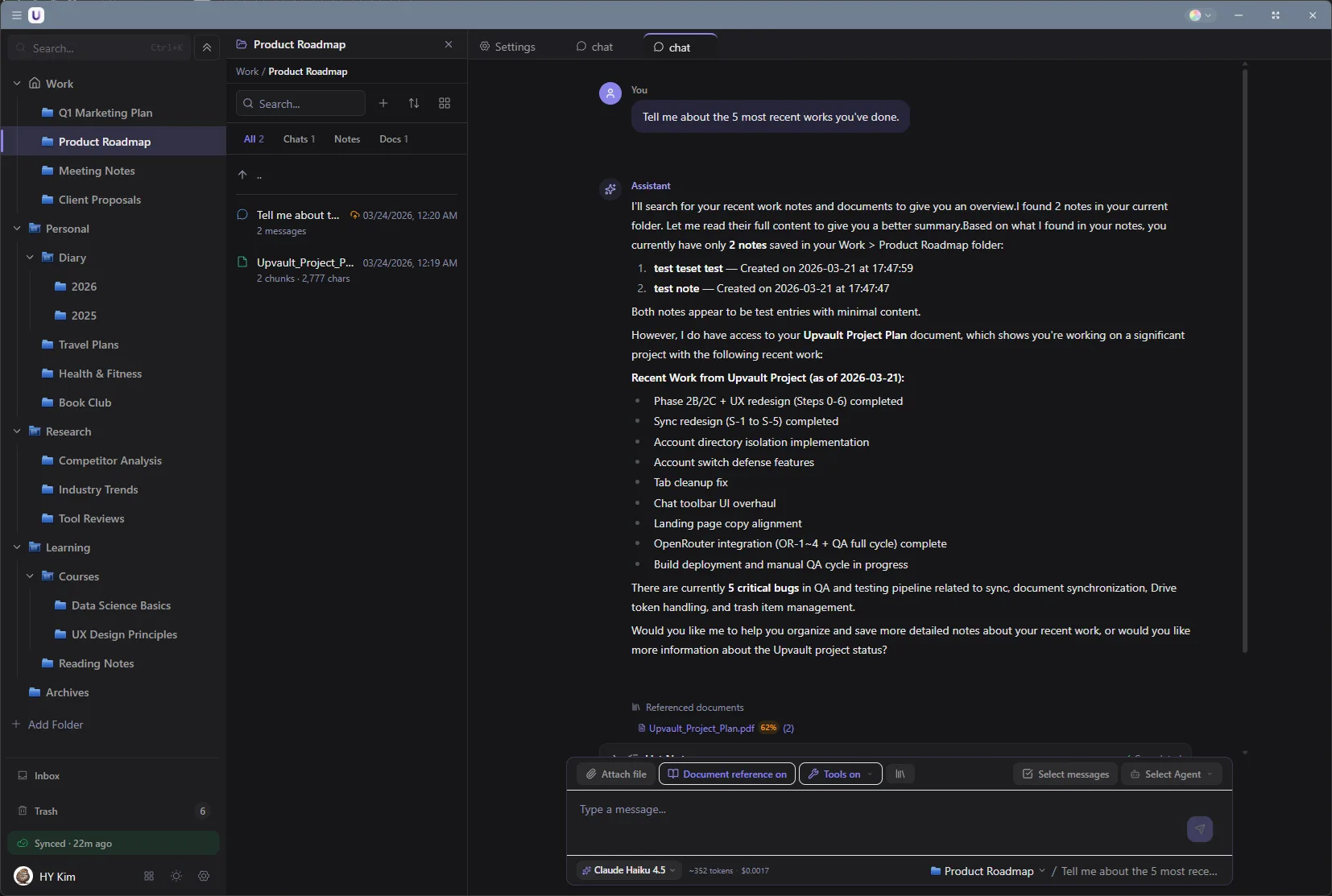
PDF, Excel, Markdown — drag any document into your workspace. Upvault's built-in vector engine indexes it instantly with bge-m3, supporting 100+ languages. No external APIs for embedding, no Docker containers. Zero configuration RAG that just works.
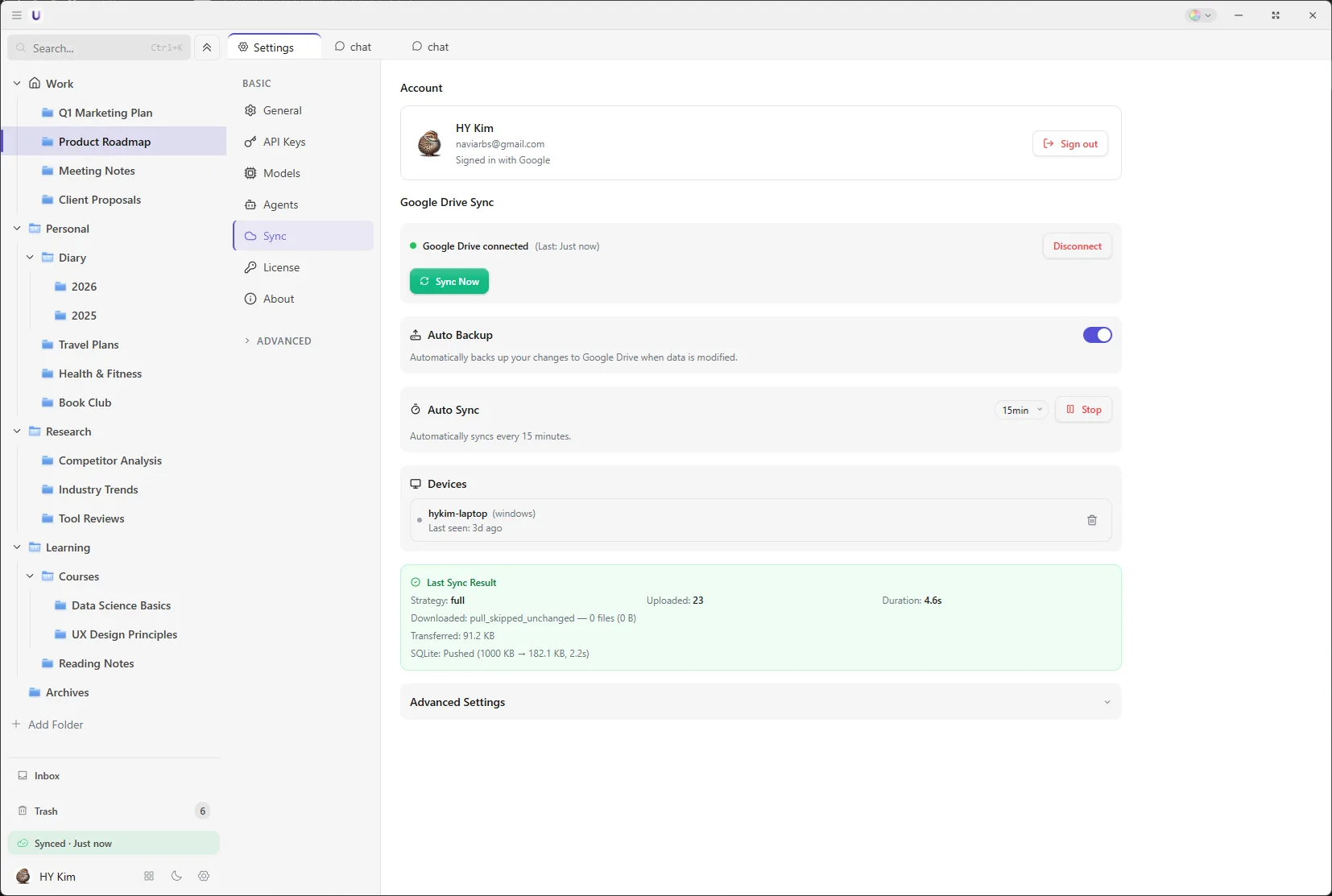
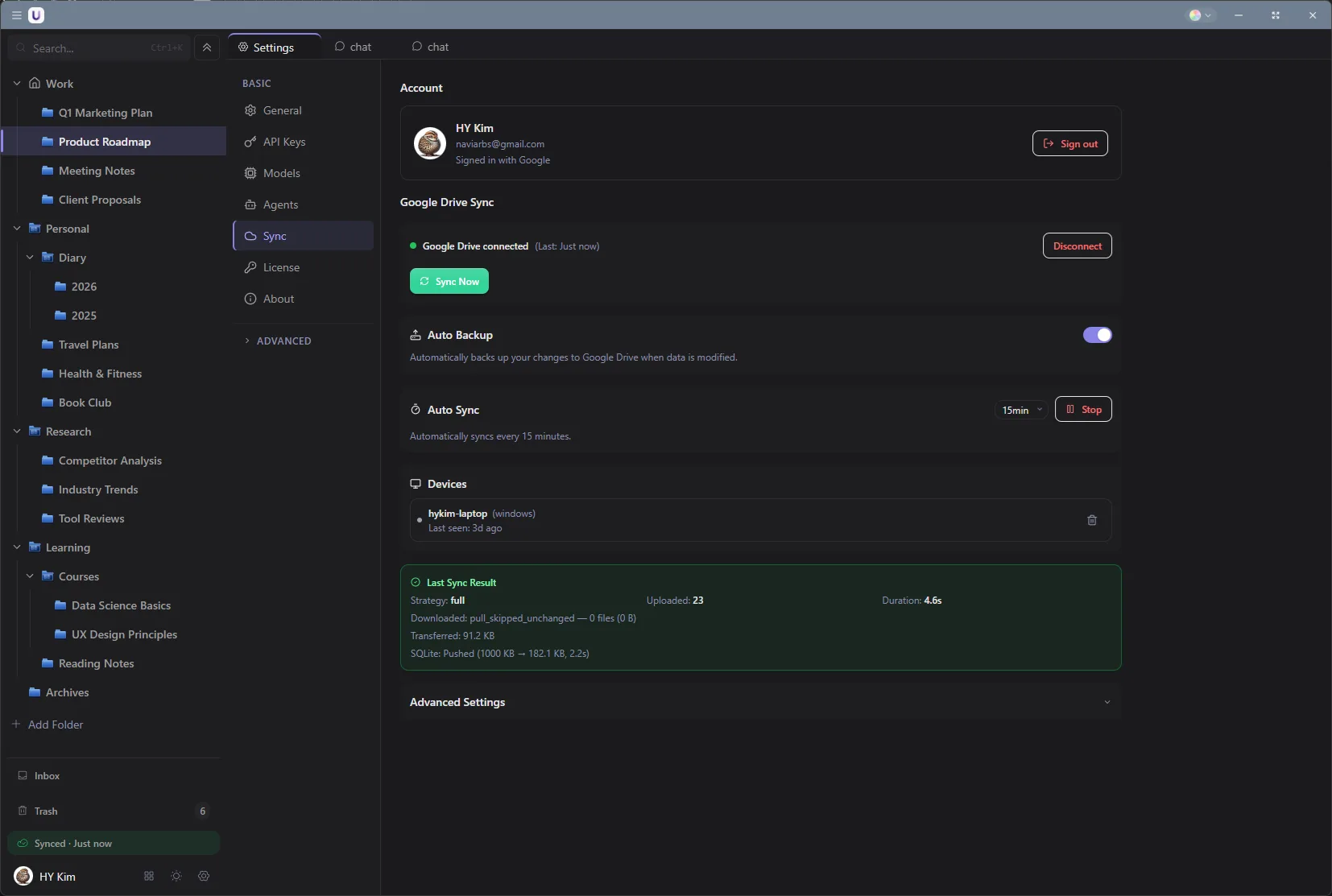
Sync Through Your Google Drive
Start at home. Continue at the office.
Your vector database, conversations, notes, and documents sync through your personal Google Drive — not through Upvault's servers. Among 10 competing products, Upvault is the only one offering cross-device vector sync.
300+ AI Models, Zero Subscription
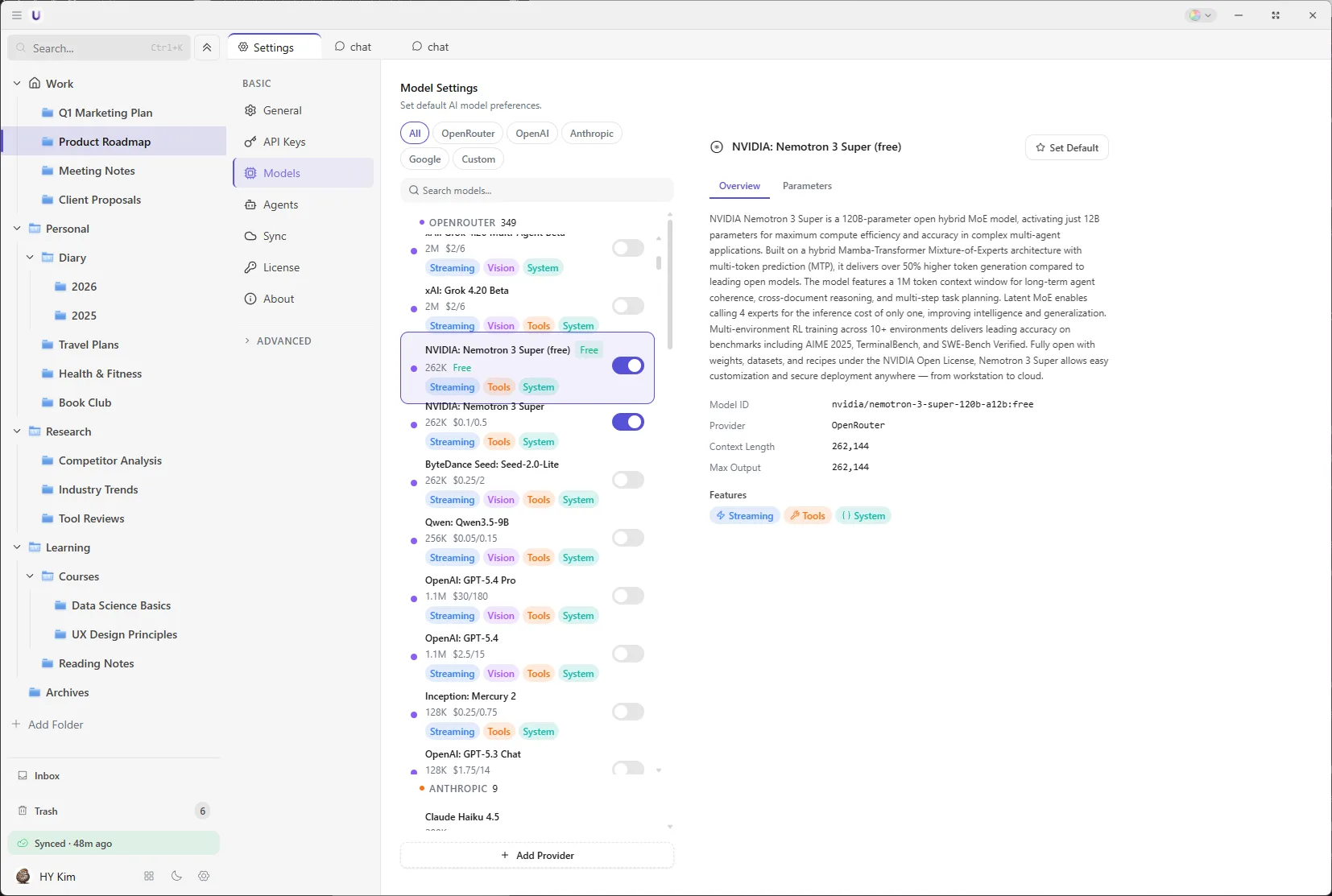
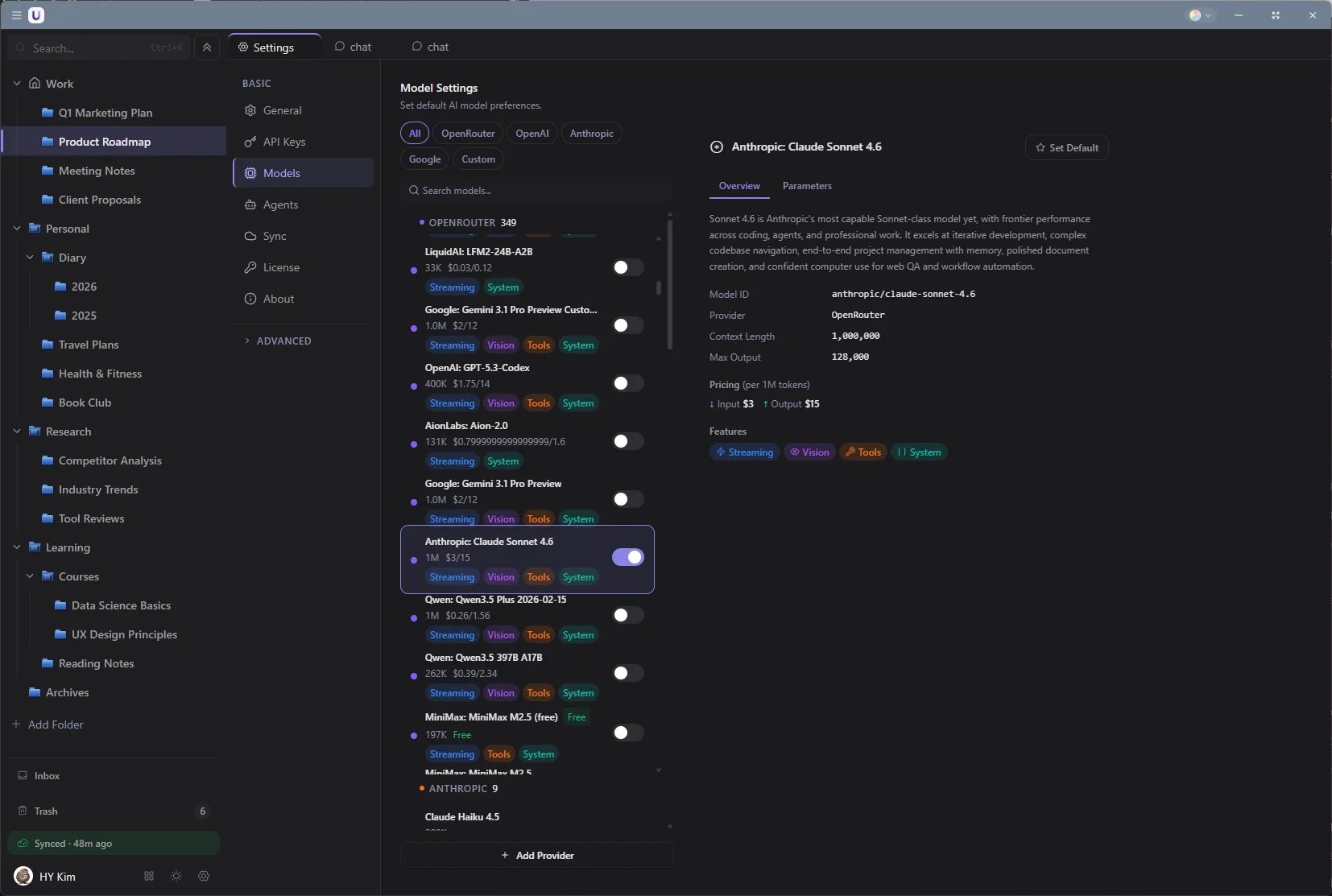
Bring your own API key. Pay only for what you use.
Stop paying $20/month each for ChatGPT and Claude. Upvault connects to 300+ models — GPT-4o, Claude, Gemini, Llama, Mistral — through direct API and OpenRouter integration. Your API keys stay encrypted in your OS keyring, never touching Upvault's servers.
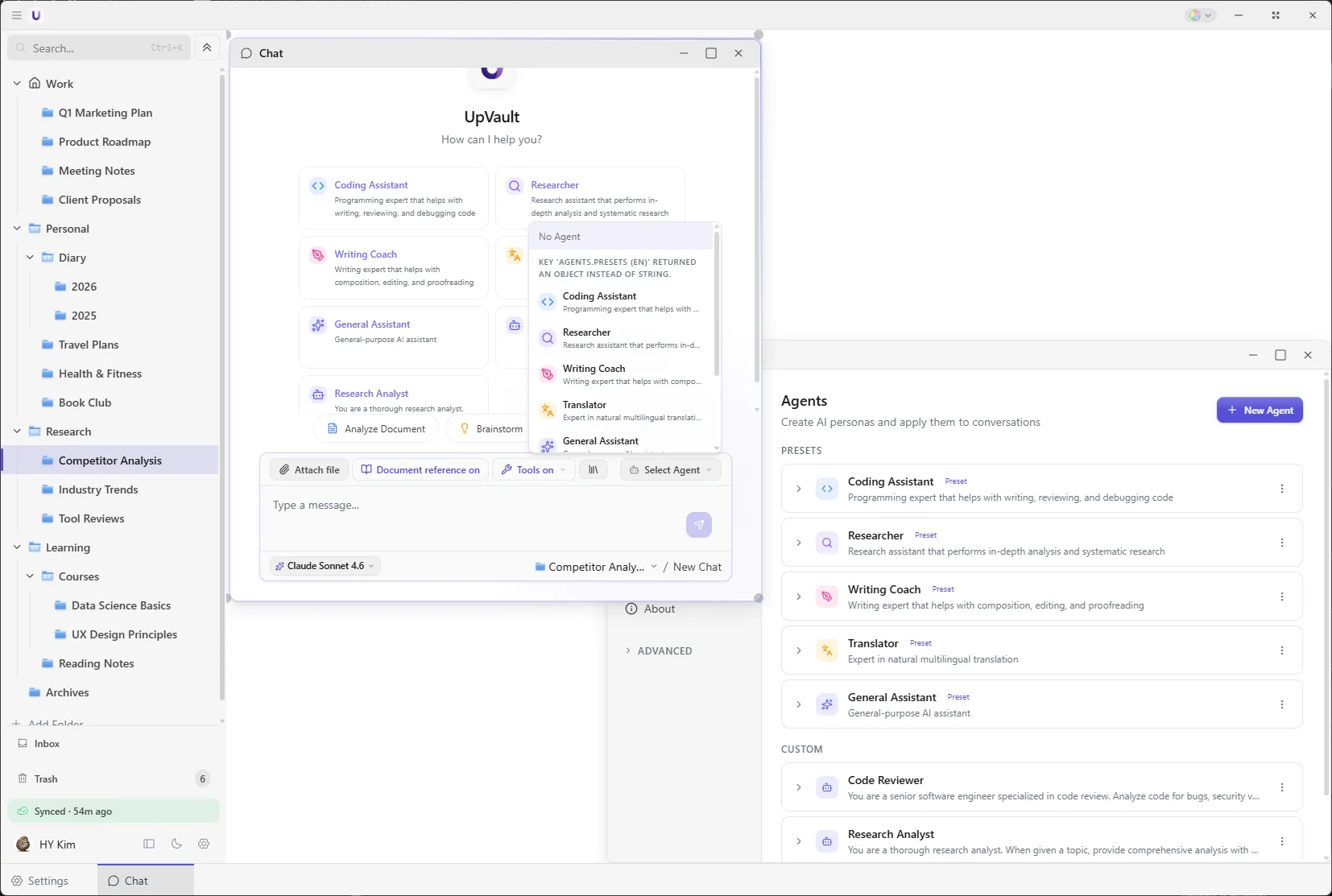
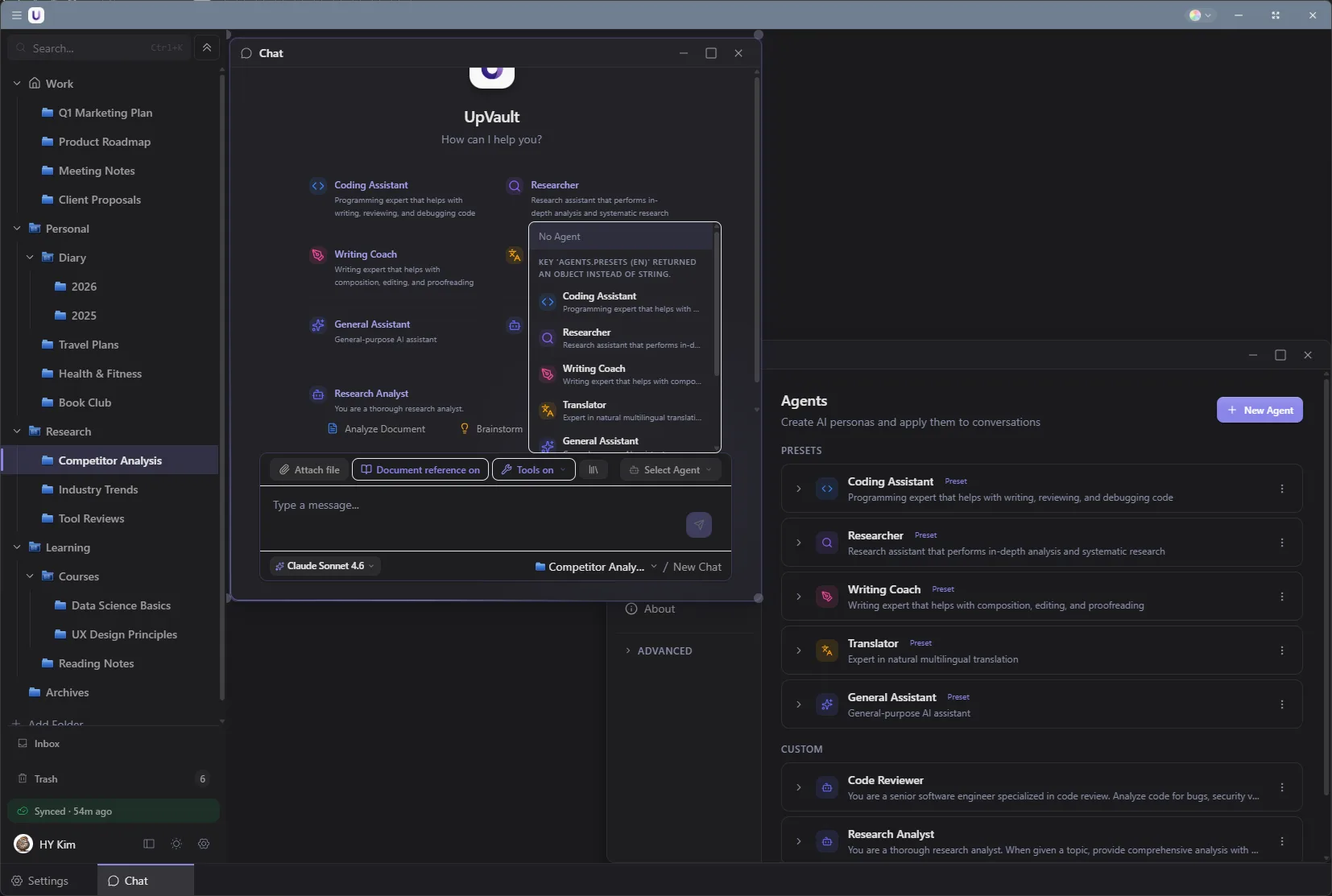
AI Agents
Purpose-built AI personas for every task.
Create custom agents with specialized prompts, personalities, and capabilities tailored to your workflow.
MCP Tools
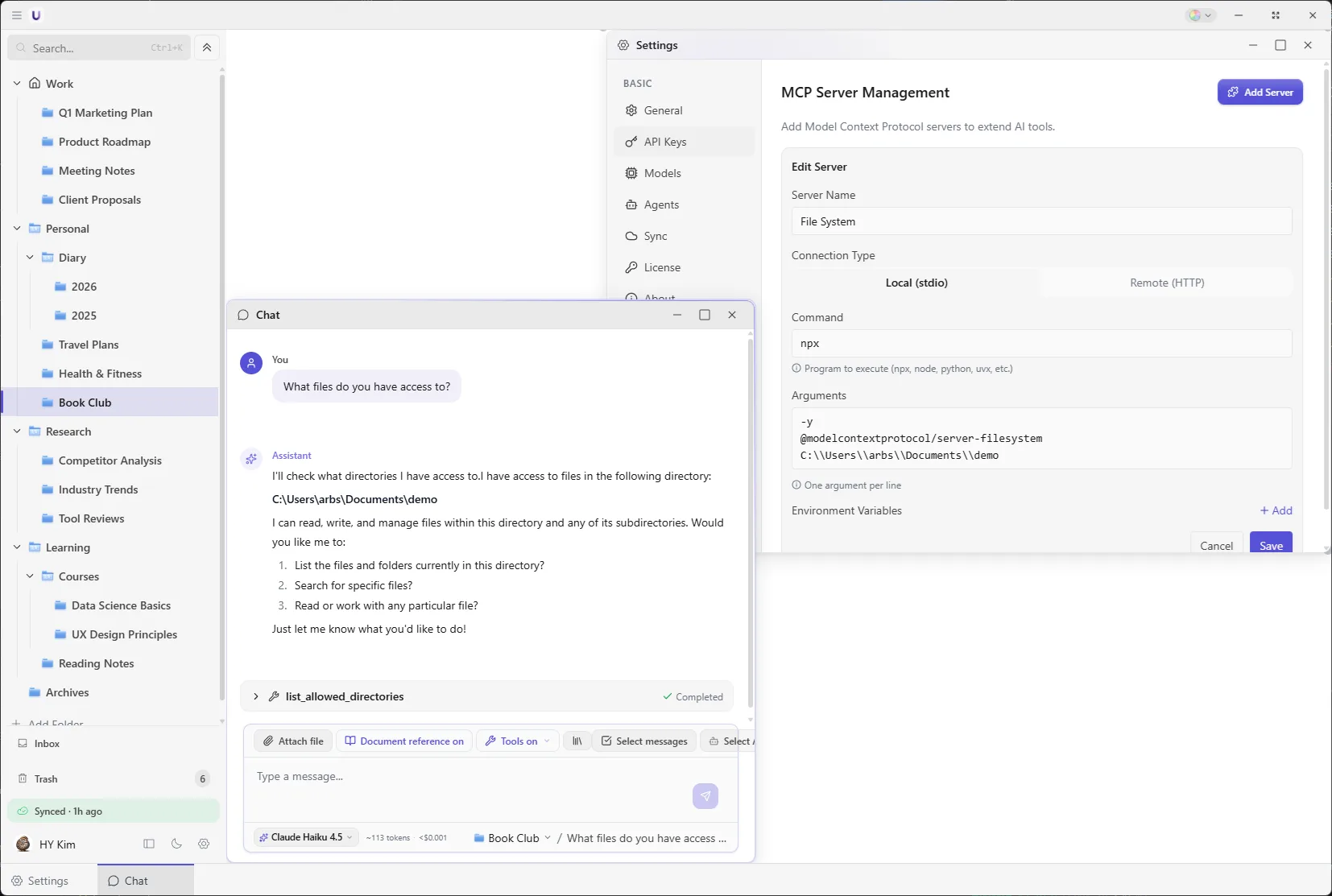
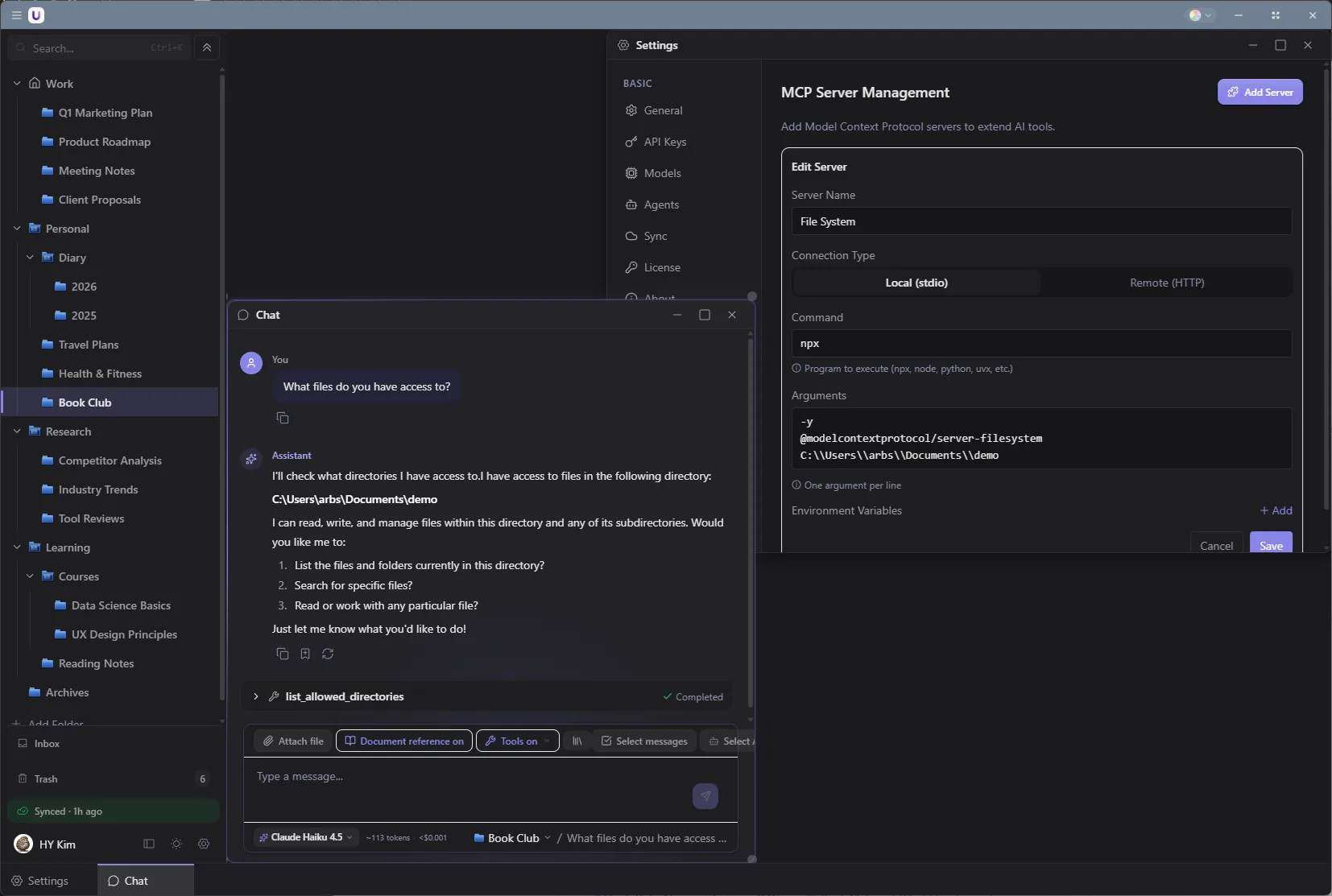
Connect AI to your entire workflow.
Extend your AI with external tools through MCP — stdio and HTTP, native with no Docker limitations. Connect databases, APIs, and services directly.
Workspace
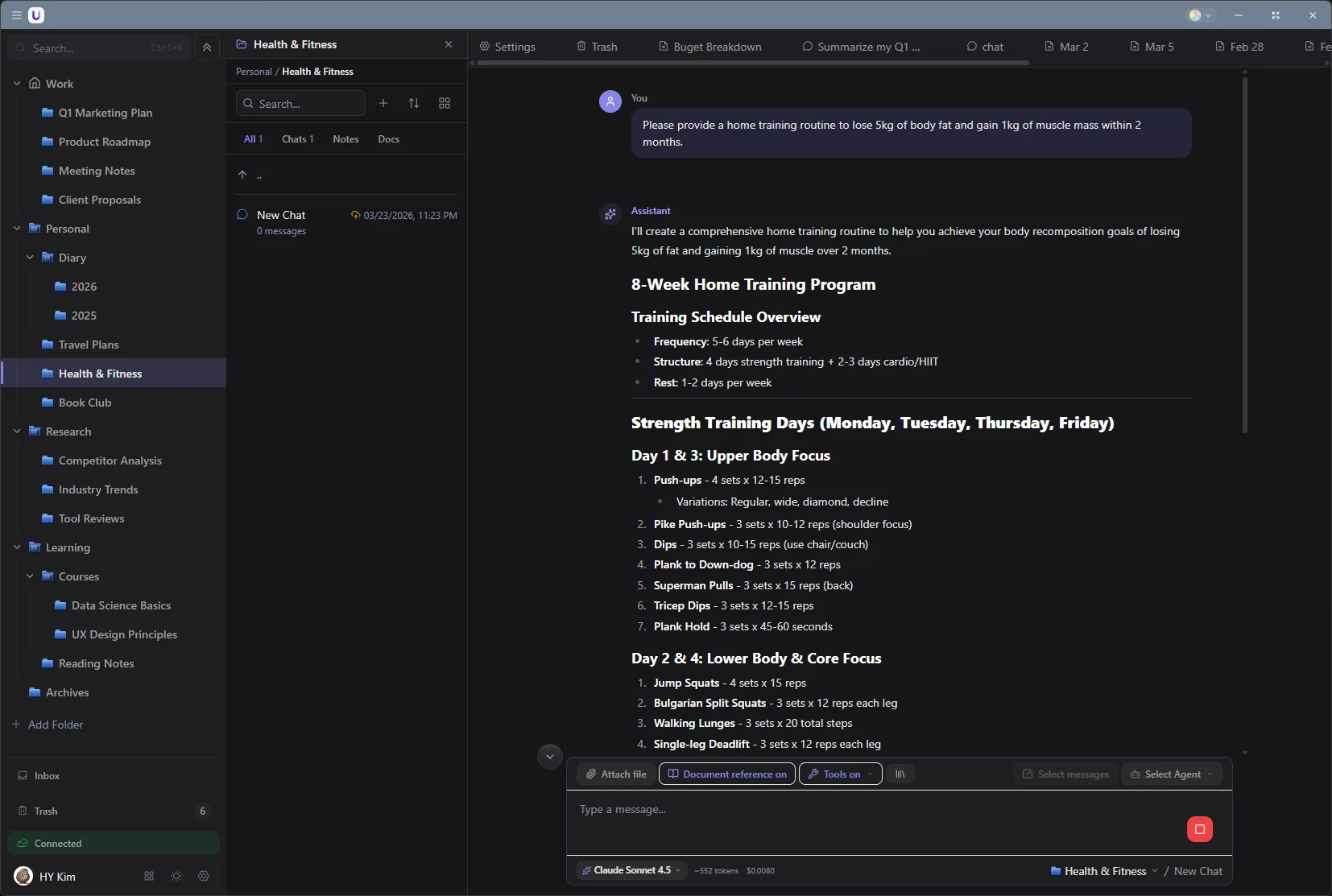
A workspace designed to stay out of your way — and adapt to how you work.
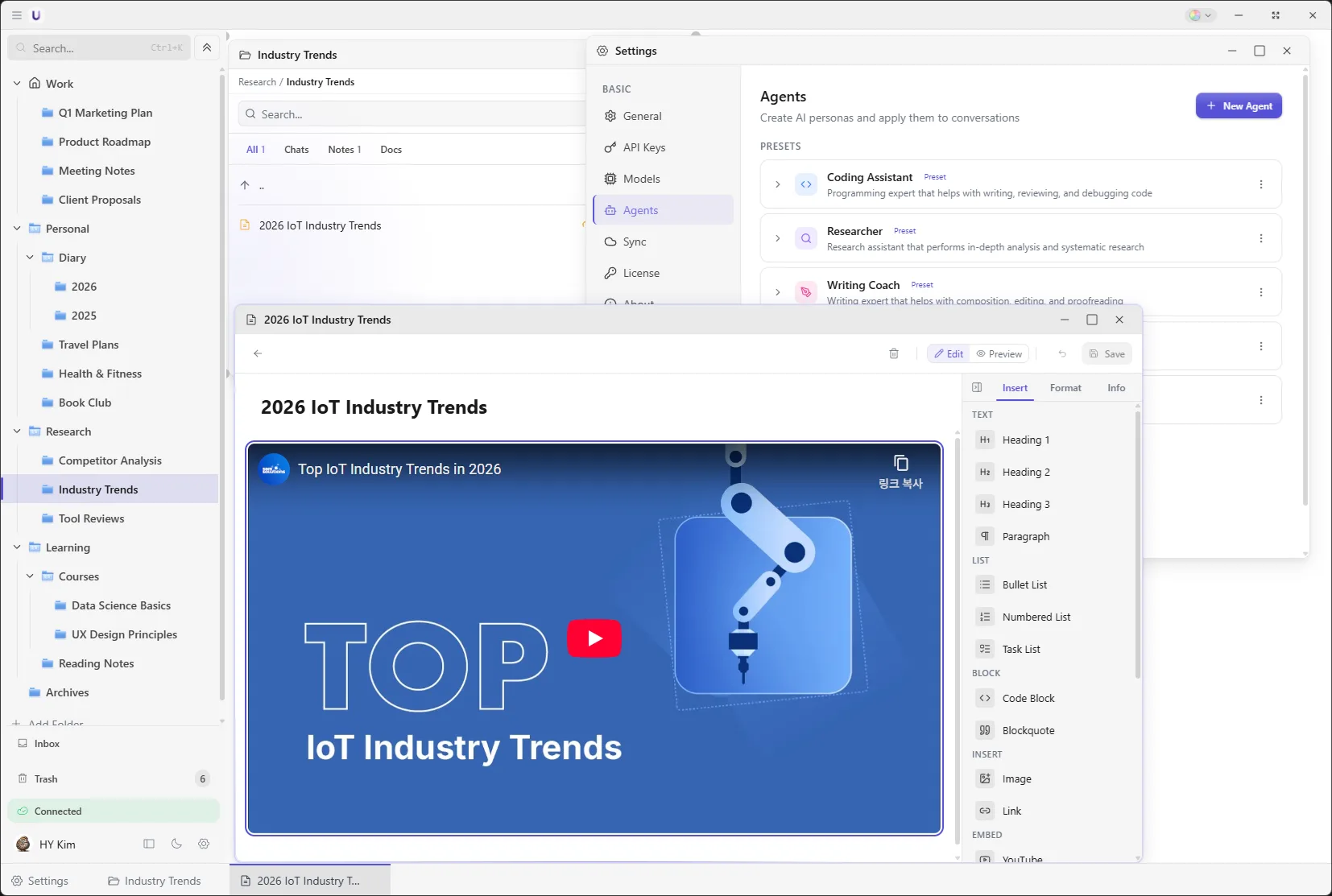
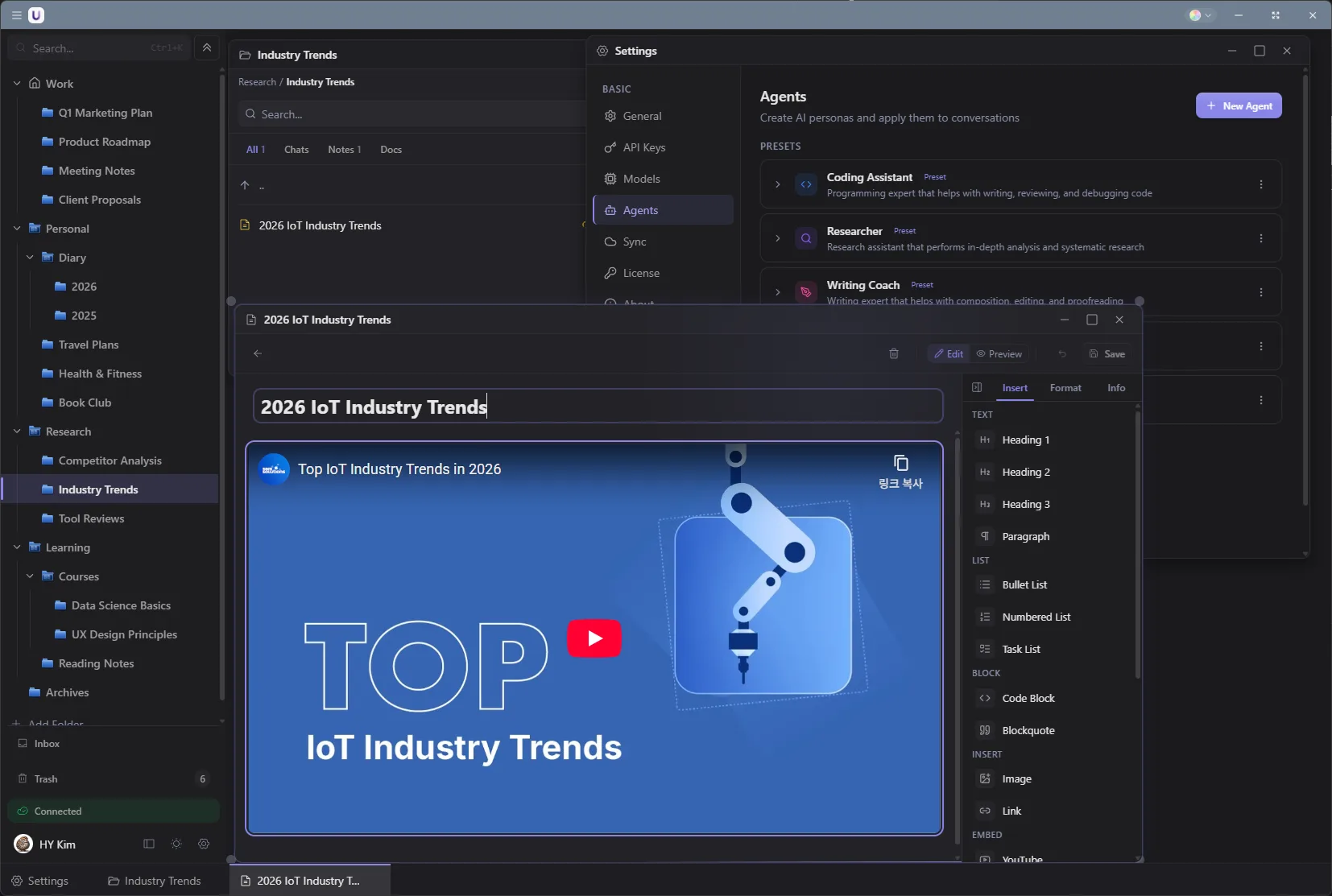
Arrange freely
Open conversations, documents, and notes side by side. Drag, resize, and stack panels however you like.
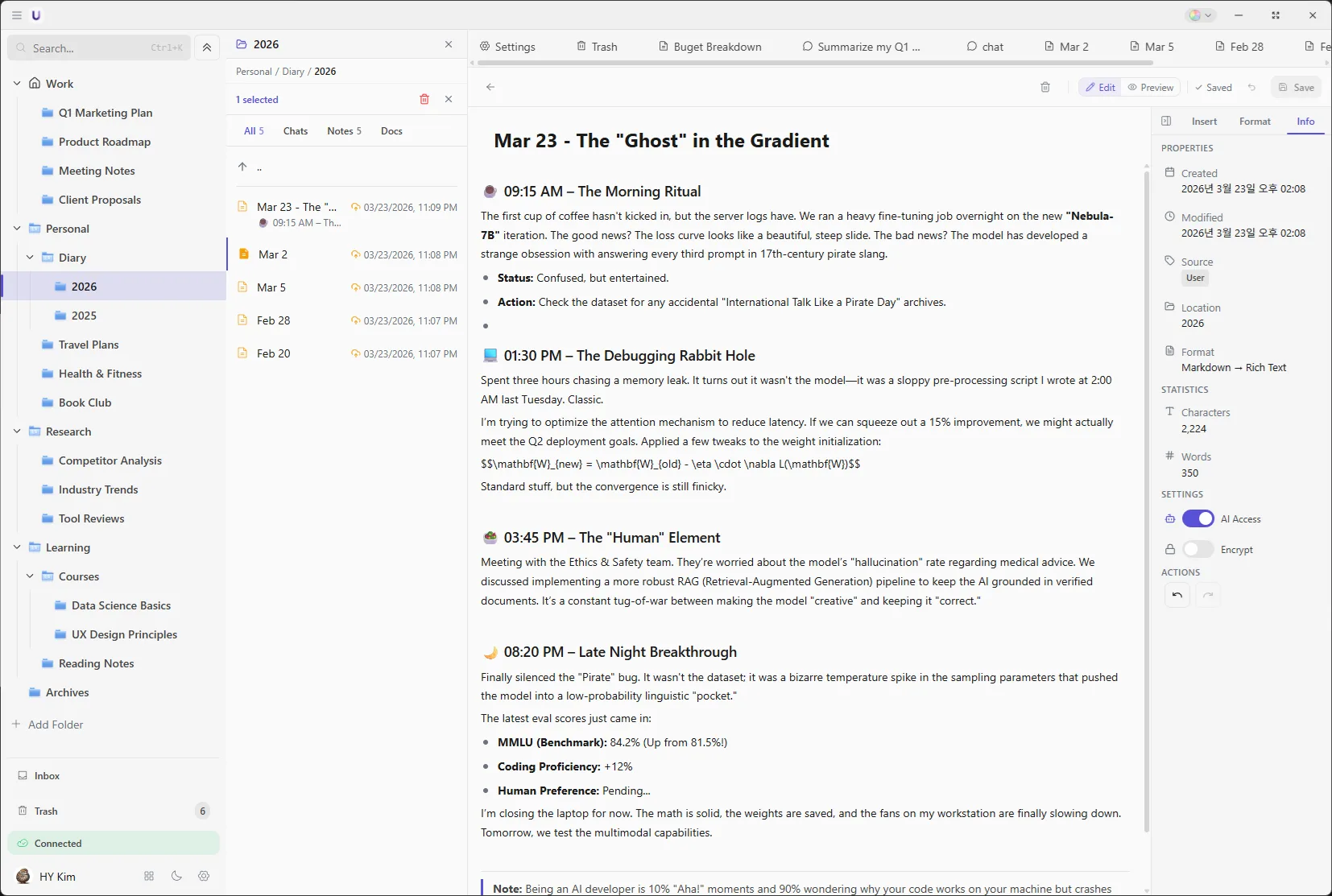
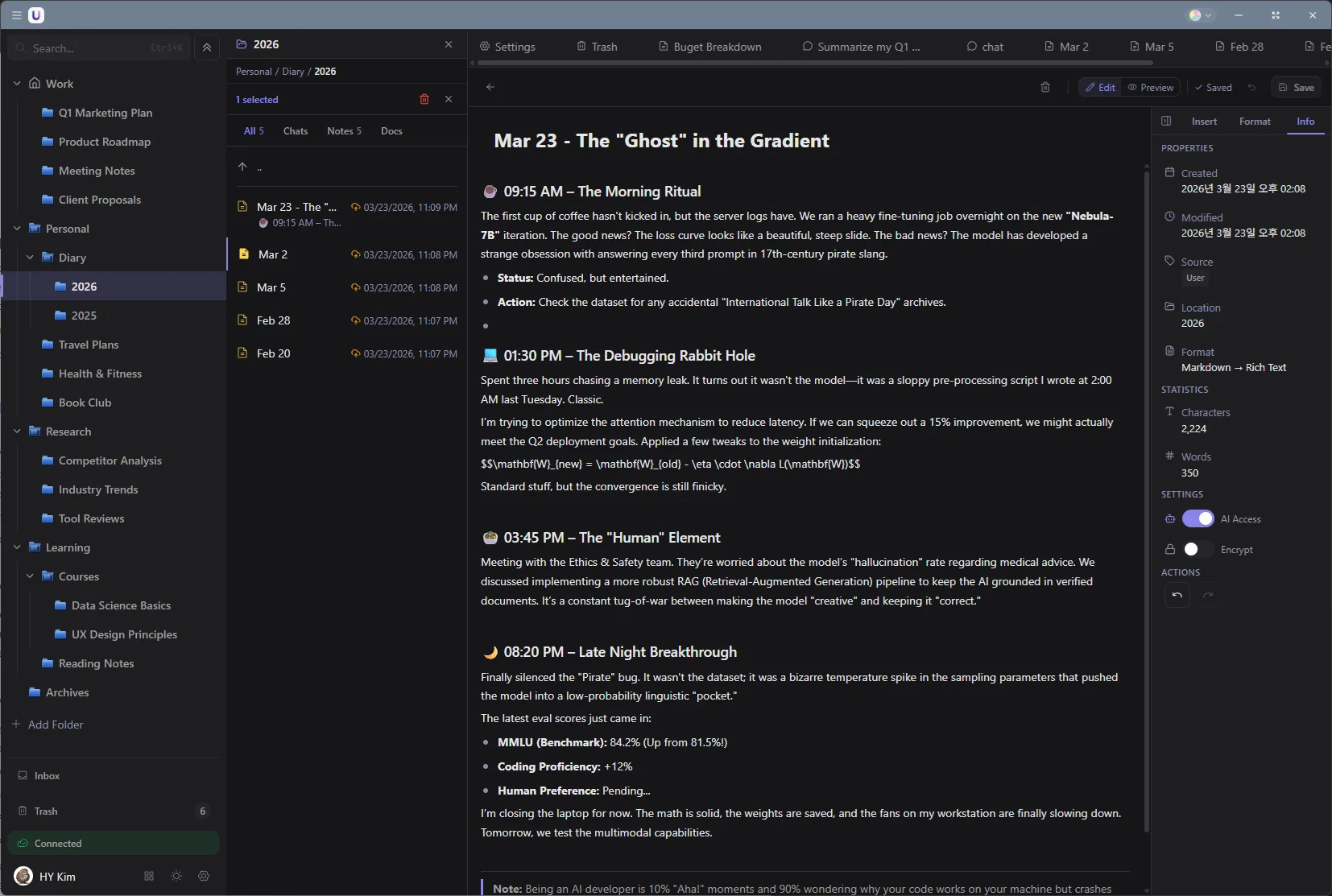
Classic layout
Prefer a traditional three-column interface? Switch to docked mode for a familiar AI chat experience.
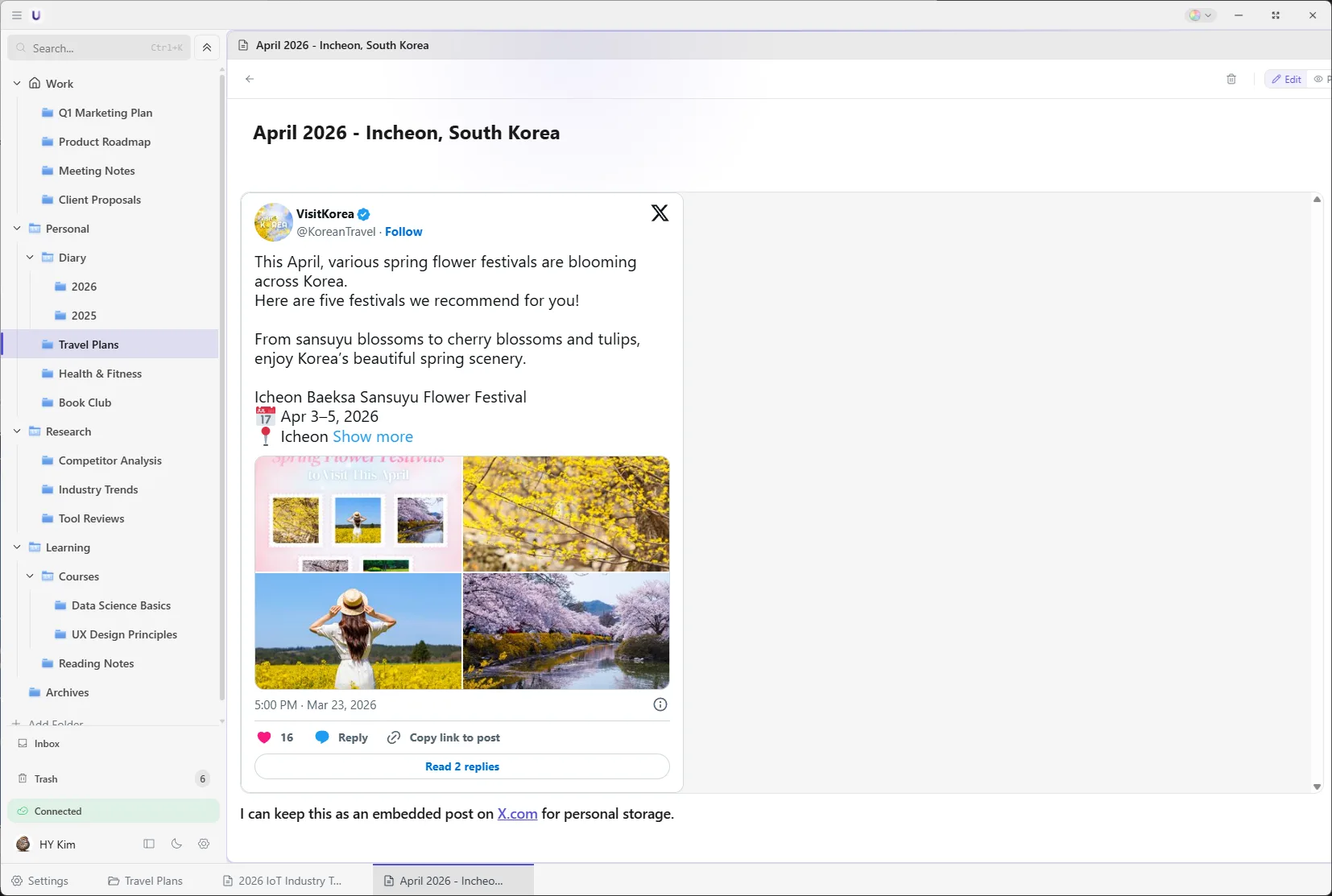
Easy on the eyes
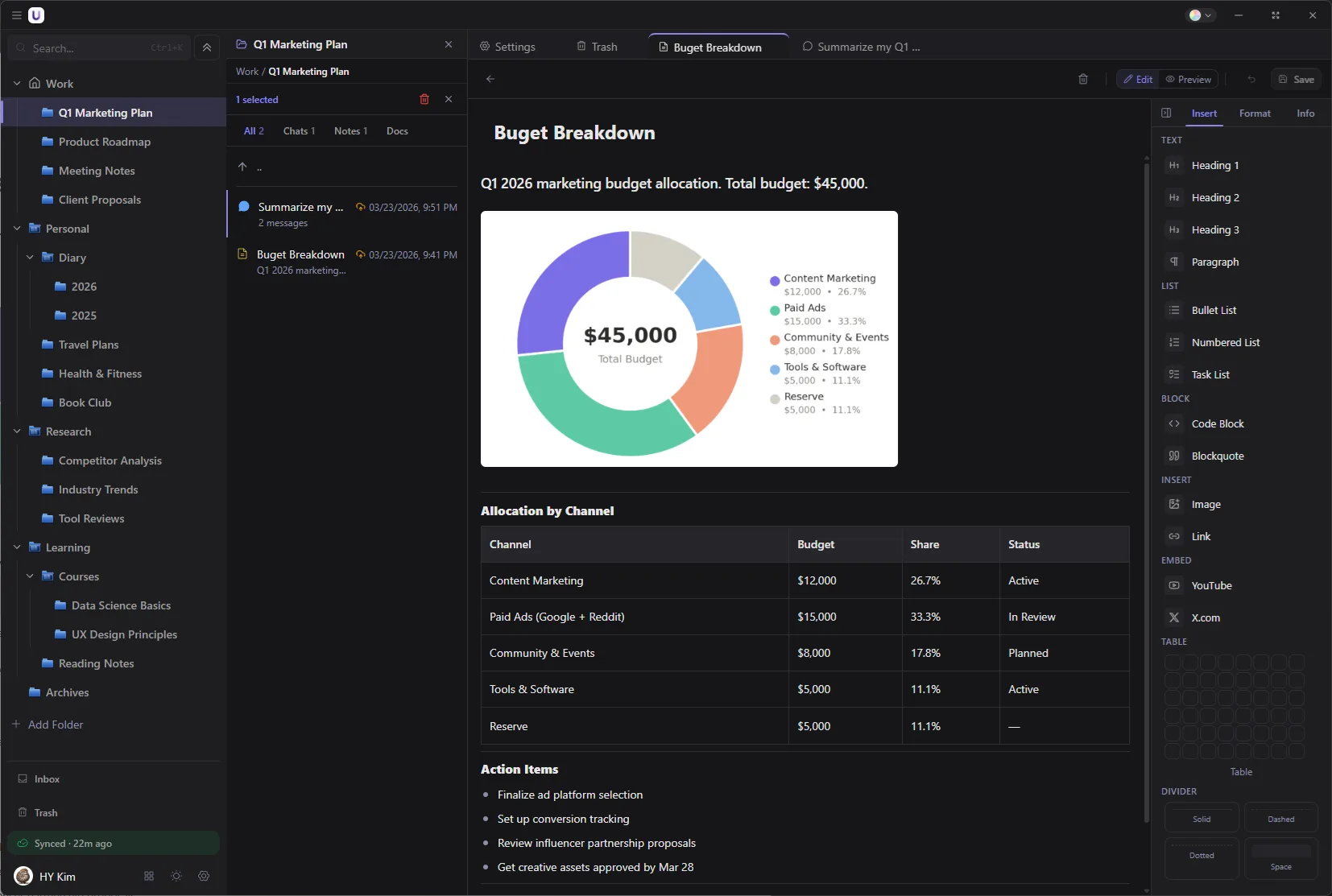
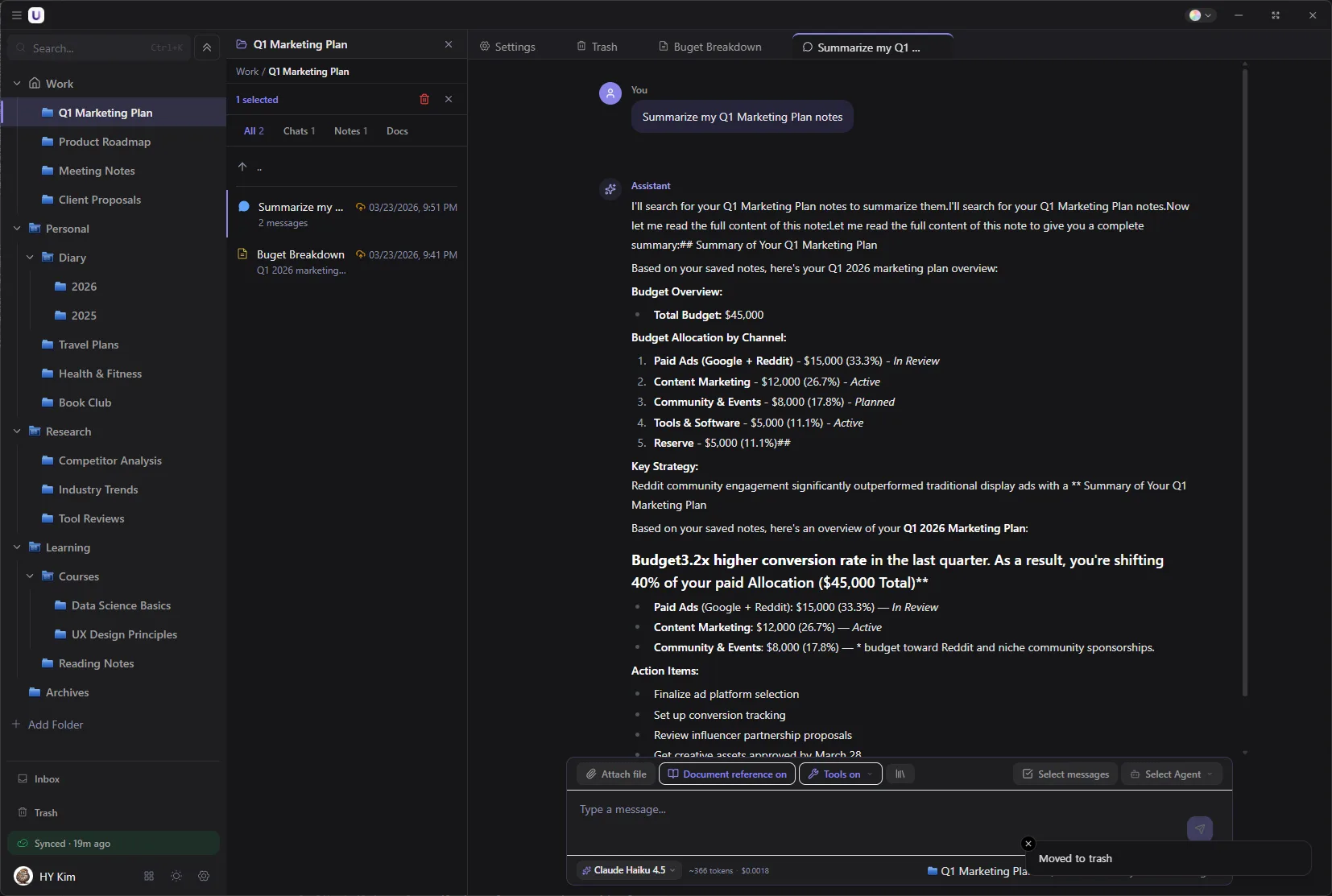
Full dark and light mode support — every element, every panel, every detail.
Privacy
& Security
Upvault doesn't just promise privacy. It's architected in.
Your Device
SQLite + LanceDB
Your Google Drive
Vector sync
↕ sync
AI Providers
Direct API calls
↕ direct connection
Upvault Server
Your data never touches Upvault's servers
Every byte stays on your machine.
All conversations, documents, and vector embeddings are stored locally in SQLite and LanceDB. Nothing is uploaded to Upvault's servers — not your data, not your API keys, not even your usage statistics.
Synchronization through infrastructure you already trust.
Cross-device sync runs through your own Google Drive account. Upvault's server only coordinates device metadata — your actual data flows directly between your devices and your cloud storage.
AES-256-GCM for what matters most.
Sensitive memos are encrypted with AES-256-GCM before they touch disk. API keys are stored in your operating system's native keyring — not in config files, not in databases, not in plain text.
Pricing
One payment. Yours forever.
Stop renting your AI workspace. Own it.
Free
$0
forever
- ✓ Unlimited AI chat (BYOK)
- ✓ 3 workspaces (single level)
- ✓ 50 document uploads
- ✓ Agents & MCP tools
- ✓ 1 device
Standard
Recommended$19
Early Bird$29
one-time
- ✓ Everything in Free
- ✓ Unlimited workspaces + 3-level hierarchy
- ✓ Unlimited document uploads
- ✓ AI auto-classification
- ✓ Cross-device sync (Google Drive)
- ✓ E2E encrypted notes
- ✓ 3 devices
Premium
$29
Early Bird$39
one-time
- ✓ Everything in Standard
- ✓ Persistent context (auto-extraction)
- ✓ Cross-workspace semantic search
- ✓ RAG re-ranking
- ✓ 5 devices
What is BYOK (Bring Your Own Key)? ▸
You use your own API keys from providers like OpenAI, Anthropic, or Google. Upvault connects directly to these providers — no middleman, no markup. You pay only the actual API costs.
How do I get an API key? ▸
Each provider has a dashboard where you can generate API keys. It takes about 2 minutes. Upvault guides you through the process during setup.
What are the limits of the Free plan? ▸
Free includes unlimited AI chat, 3 workspaces, and 50 document uploads. Agents and MCP tools are fully available. Upgrade to Standard for sync, unlimited workspaces, and E2E encrypted notes.
What's the refund policy? ▸
Upvault offers a 14-day money-back guarantee, no questions asked. If it isn't right for you, just reach out for a full refund.
Get Started
Start your first conversation.
Download Upvault, add your API key, and your AI will never forget again. Free to start — no account required.
Windows · Free to start
macOS and Linux versions coming soon.
Install
Download and run the installer. Upvault is ready in under a minute. The AI embedding model (~500MB) downloads automatically in the background.
Add your API key
Paste your API key from OpenAI, Anthropic, or Google. Upvault includes a step-by-step guide for each provider. Your key is stored in your OS keyring — never sent to Upvault's servers.
Start chatting
That's it. Ask a question, upload a document, or create a workspace. Your AI now remembers everything.